
Siemens Sitop
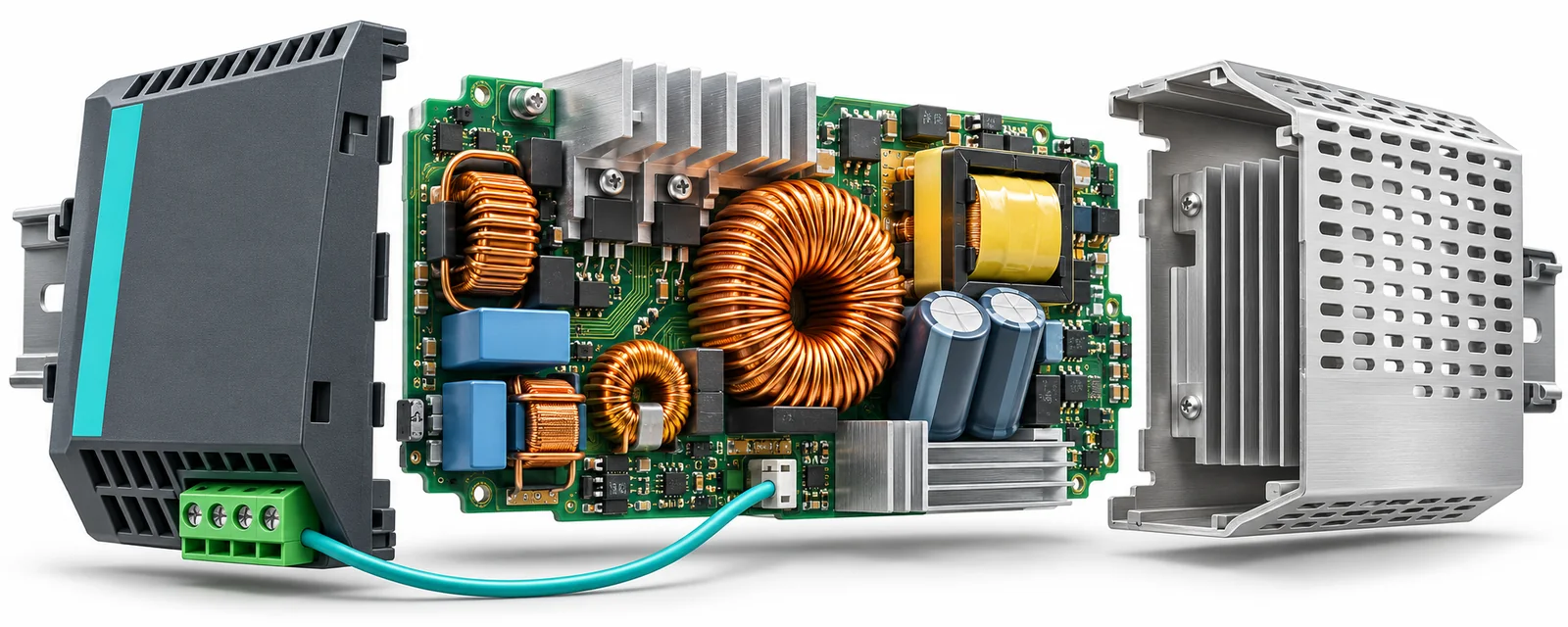
Siemens SITOP and 6EV / 6EW Power Supplies
Siemens power supplies serve applications ranging from control-cabinet DC distribution to the dedicated power requirements of legacy PLC and CNC equipment. The 6EV and 6EW model pages in this section support maintenance, fault investigation and replacement-part identification.
SITOP is Siemens’ industrial DC power supply family. Legacy system supplies, power boards and backup batteries listed here must also be assessed against the requirements of their particular equipment. When considering SITOP power supplies alongside SIMATIC S5 systems, first establish whether the unit powers external cabinet loads or the system’s internal electronics.
What should you check when selecting a 6EV supply?
For older supplies such as 6EV1320-4AC and 6EV1322-7AK00, matching the output voltage is only the beginning. Verify the input voltage, mains frequency, input connections and output regulation against the nameplate and model documentation. An unregulated supply must not be assessed as though it behaved like a regulated switched-mode unit.
When investigating 6EV1334-4AK00 or 6EV1336-5AK, pay particular attention to the number of input phases, terminal assignments and input protection. Similar metal housings do not establish that two units accept the same supply or use the same wiring.
For 6EV1352-5BK00 and 6EV1363-5AK, assess simultaneous load switching as well as continuous consumption. Consider output current, cabinet temperature, ventilation and the manufacturer’s derating conditions together. A higher current rating alone does not establish a suitable replacement.
SIMATIC S5 and CNC system power supplies
With S5-related model records such as 6EV2031-4FC00, 6EV3053-0DC and 6EV3053-0EC, distinguish internal system power from field-device power. Check the voltages required by the CPU and electronic boards, rack connections and any monitoring signals before planning a conversion to a standard cabinet supply.
For CNC and control-system supplies such as 6EV3034-0BC, 6EV3054-0CC and 6EV3054-0DC, inspect every required output rail, common reference and system connection. Finding voltage on one output does not show that all supplies needed by the equipment are operating correctly.
Closely related order numbers, including 6EV3054-0FC and 6EV3054-0GC, require attention to the complete suffix and hardware version. A connector that fits, or one matching voltage on the label, does not by itself establish compatibility with the control system.
When sourcing display-supply or board-level spares such as 6EV3114-0AE00-0AA0 and 6EV5101-0AC, identify the host equipment as well. Compare the equipment model, board number, connection photographs and mechanical dimensions together.
Checking 6EW order numbers and connections
Compare 6EW1110-5AA and 6EW1110-5AB using their complete order numbers, nameplates and connection arrangements. Other versions, including 6EW1110-5AC and 6EW1110-5AE, also require their own documentation. A shared prefix is not evidence of interchangeability.
The 6EW1861-2AB, 6EW1861-2AD, 6EW1861-3AA and 6EW1861-3AD pages can be reviewed individually when identifying a legacy control-system power unit. Confirm the host system, output functions, connector pin assignments and any control signals before considering one model as a replacement for another.
Backup batteries require a separate assessment
Backup-battery records such as 6EW1000-4AB and 6EW1000-7AA must be distinguished from main power supply units. Match the battery chemistry, voltage, capacity, rechargeability and connections to the equipment manual. Back up the program and machine data before replacement, and follow the manufacturer’s battery-change procedure.
Do not assume every voltage fault comes from the supply
Low output voltage may result from a defective supply, excessive demand, a shorted load or voltage drop across connections. Assess no-load readings together with behaviour under the actual operating load. Measurements and fault isolation should be performed by qualified technical personnel using suitable equipment.
If a unit starts correctly but fails after warming up, investigate ventilation, heating at connections and stability under load. A multimeter alone may not reveal output ripple or brief voltage dips. Include system alarms and supply-monitoring records in the assessment.
Improving supply availability with SITOP
In an appropriate SITOP configuration, a redundancy module decouples two supplies to support continued operation after a supply failure. A selectivity module isolates a faulty DC branch, while a buffer module bridges brief interruptions. Where a longer backup period is needed, assess a suitable DC UPS. Selection depends on the required duration and actual load.
Editor’s Note
Start with a clear photograph of the nameplate. On an older Siemens supply, a small suffix difference can lead you to the wrong spare. Keep photographs of the host machine and existing connections with it.
Do not call a supply healthy just because it produces voltage on the bench. Check its behaviour under load and after warming up. If the machine resets intermittently, an occasional supply fault deserves a closer look.
Where a CNC or S5 system uses several supply rails, establish what each one does. Measuring one rail and overlooking the others can send you after a perfectly serviceable board. Understand the system connections before selecting the replacement.
Take your time with the backup battery. A small battery change can become a much larger job if an older system has no usable backup. Verify the program and parameter backup and follow the equipment’s replacement procedure.
When buying used equipment, look beyond a clean enclosure. Ask about heat-damaged terminals, missing connectors, repair history and the test performed. Establish whether it was tested without load, under load, and under what conditions.
OtomasyonAVM Resources and PDFs
Start with About Siemens SITOP for the general supply approach and About Siemens S5 PLC for system context. The SIMATIC S5 PDF archive provides S5 system documentation; do not assume it contains a dedicated manual for every 6EV or 6EW model.
Related Topics
SITOP power supplies + Siemens S5 PLC and systems + SITOP selection and application information
Used-equipment enquiries: Provide the model, quantity, working/faulty condition and clear nameplate photographs. Sales are invoiced; returns are not accepted for used equipment. Workshop testing can be arranged with an agreed test scope. To offer a Siemens power supply for sale, send the model, condition and photographs to otomasyonavm@gmail.com.
Browse Categories
Siemens Automation + SITOP power supply category + 6EV / 6EW model pages
Siemens and External References
+ Siemens SITOP product family and selection resources
+ Siemens SITOP redundancy, selectivity and buffer modules
+ Siemens SITOP product and application brochure — English PDF