
UPS accessories
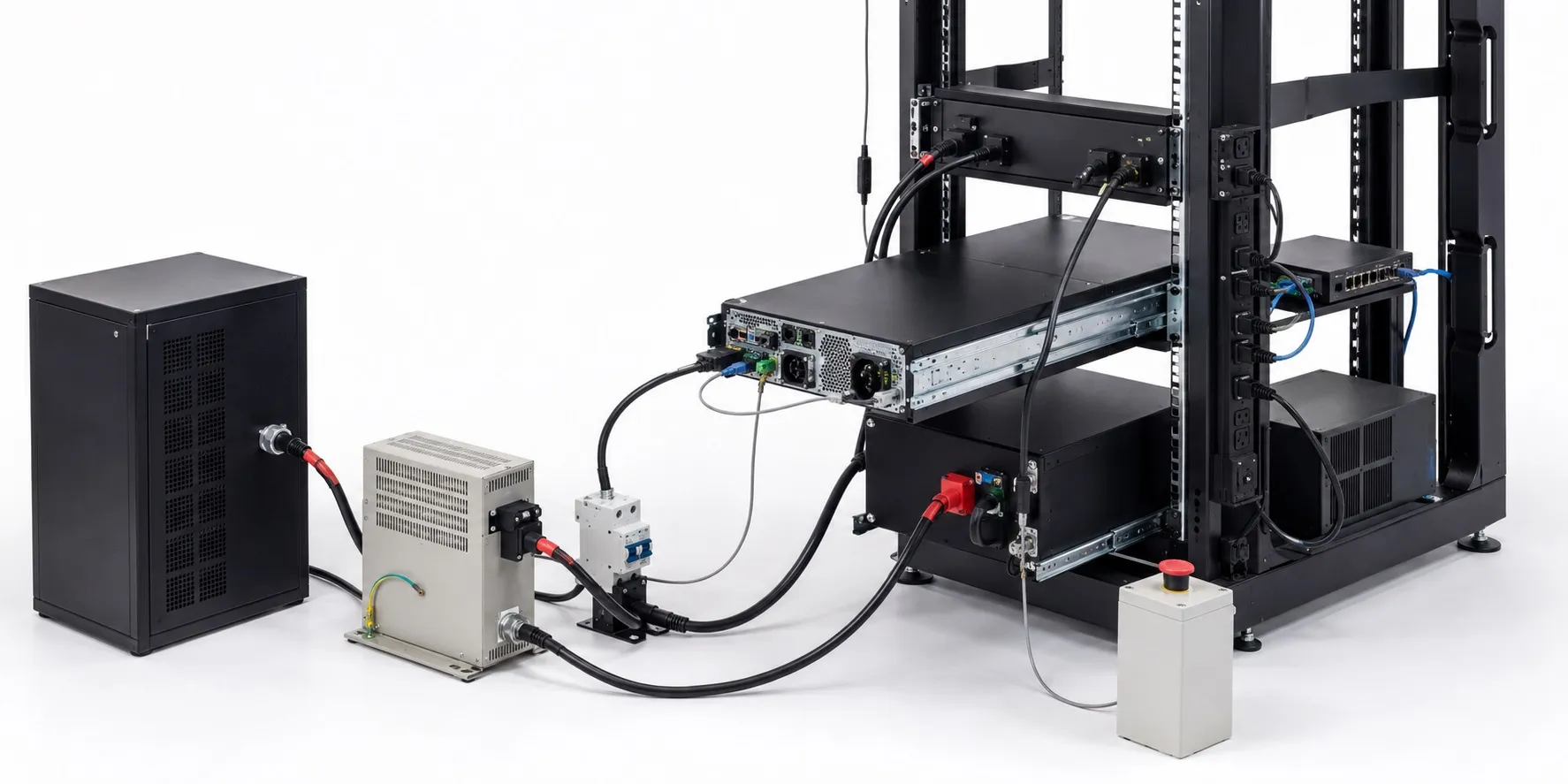
UPS accessories: Completing the backup power system
UPS accessories include more than spare batteries and cables. An appropriate uninterruptible power supply (UPS) can be complemented by battery modules, communication cards, shutdown software, maintenance bypass equipment and mounting hardware. These additions can improve runtime, monitoring and serviceability. However, an accessory that suits one UPS may not suit another.
Start with the exact UPS model number, the connected load and the function that needs to remain available. Sharing a brand or having a connector that physically fits does not establish electrical or software compatibility. When reviewing UPS options, assess accessories as part of the complete system.
What does 1500 VA mean? How does it differ from watts and efficiency?
VA measures apparent power; watts (W) measure real power. For a single-phase AC load, apparent power is the product of RMS voltage and RMS current: VA = V × A. A 1500 VA rating states the UPS's apparent power capacity; it does not promise 1500 W of output or a particular runtime. Understanding VA versus watts is fundamental to sizing the system.
Both the VA and W limits must be respected. For example, a UPS labelled 1500 VA / 900 W has a different watt capacity from one labelled 1500 VA / 1200 W. The first unit's 900 W limit must not be exceeded even if the load is within its VA limit. The VA rating alone cannot establish watt capacity: use the manufacturer's stated W rating.
Power factor (PF) is the ratio of real power to apparent power for the same AC load: PF = W / VA. Efficiency, by contrast, is output real power divided by input real power. A power factor of 0.8 does not mean 80% efficiency. If a manufacturer specifies 1500 VA / 1200 W, the ratio of those capacity ratings is 0.8; the actual load power factor and the UPS's conversion efficiency still need separate assessment.
How should you assess capacity for a computer?
Suppose a computer draws 240 W, its monitor draws 35 W and the network equipment draws 25 W. Total real power is 240 + 35 + 25 = 300 W. If the combined load's actual power factor is assumed to be 0.9, apparent power is approximately 300 / 0.9 = 333 VA. These are illustrative values; consumption and power factor should be measured or obtained from reliable application data.
The selected UPS must support both requirements, with appropriate allowance for load changes and planned additions. The maximum watt rating on a computer power supply does not mean the computer continuously draws that amount. Also, a 1500 VA label does not tell you how many minutes a 300 W load will run. Check the UPS runtime data for the actual load and battery configuration.
Why is a UPS useful for a computer?
Battery backup can provide time to save work, maintain communication or shut down in a controlled manner. Whether there is enough time depends on battery condition and runtime at the connected load. Automatic shutdown support can also help when nobody is at the computer, but it requires the appropriate connection, software and settings. Plugging a computer into a UPS does not automatically guarantee a safe shutdown.
Different UPS types provide different protection and transfer behaviour. Standby and line-interactive models may have a brief transfer interval; an online double-conversion UPS in normal double-conversion mode does not require an output interruption to change from utility to battery power. For loads such as active PFC power supplies, assess pure versus modified sine wave output as well. Read the model's specifications for voltage regulation and filtering; do not assume every UPS eliminates all harmonics or every electrical risk.
Is a UPS an inverter?
Common electronic AC UPS systems contain an inverter that converts DC energy into AC. A UPS combines that conversion with energy storage, control and other functions. A standalone inverter may not include charging or automatic transfer, while some inverter/chargers offer UPS functionality. Assess the difference between a UPS and an inverter by looking at the complete product. Extended runtime is not exclusive to inverter systems. If you are considering a separate voltage regulator, also explore the difference between a regulator and a UPS.
Do replacement batteries and external battery modules serve the same purpose?
A replacement battery or cartridge replaces an ageing battery already installed in the UPS. An external battery module extends runtime on UPS models that support it. When choosing battery packs, check DC voltage, chemistry, connections, protection and manufacturer compatibility together. An external battery does not increase the UPS's VA or W output capacity.
Ah and Wh ratings help describe battery capacity, but usable energy and the actual load determine runtime. Lead-acid batteries and lithium-based batteries should not be treated as interchangeable. The differences between AGM, gel and LiFePO4 batteries include charging requirements. A lithium battery having a BMS does not, by itself, establish UPS compatibility.
Follow the UPS manufacturer's requirements for its internal charger and external modules; a separate battery charger is not a suitable addition to every installation. A larger battery configuration may take longer to recharge. Some systems require the connected module count to be configured, while others detect it automatically. Add or replace batteries according to the specific model's instructions.
What do USB, network cards and shutdown software provide?
USB or serial communication can connect a supported UPS to a computer for status monitoring and, with suitable software, shutdown control. A network management card can make the UPS accessible over an Ethernet network. Depending on the model, it may display battery status, load level, event logs and alarms. Supported software can coordinate shutdown across several systems.
Monitoring and shutdown are different functions. Compatibility with the UPS matters, but so do the operating system, software version and shutdown sequence. If a network switch shuts down while the computer remains powered, network management may become unavailable. Assess servers, switches and the necessary communication equipment together; buying a card alone does not create a working shutdown arrangement.
How are relay cards and dry contacts used in automation?
A compatible relay or dry-contact card can communicate UPS status to a PLC input or an alarm system. Depending on the model, signals may indicate operation on battery, low battery or a general fault. These states can be displayed on an HMI operator panel or passed to a SCADA system through suitable infrastructure.
A dry contact is not a power supply output. Contact ratings, input circuit voltage and signal logic must suit the application. Sending a UPS alarm to a PLC does not, by itself, make a machine stop safely. Controlled stopping and any required safety functions need separate consideration in the machine design.
Maintenance bypass, PDUs and connection accessories
A maintenance bypass can transfer the load to a supply path outside the UPS, allowing the UPS to be serviced or replaced in a compatible installation. An internal static bypass and an external maintenance bypass are different arrangements. When the load is supplied directly from utility power, the isolated UPS's battery backup and normal inverter protection are unavailable to that load. Verify bypass compatibility, current rating, wiring arrangement and operating sequence against the manufacturer's documentation.
A PDU (power distribution unit) can distribute UPS output to several loads. More outlets do not increase UPS capacity: the combined load must remain within both PDU and UPS ratings. Some desktop UPS systems have separate battery-backed and surge-only outlets. Check which output supplies each critical device.
Rack rails, power cables and battery cables also need to suit the installation. Mechanical load capacity, cable current rating, connector type and permitted cable length all matter. Assess grounding and installation-level surge protective devices separately. A cable or adapter that physically fits is not necessarily the correct accessory.
Complete the selection with operating targets and maintenance
If an automation cabinet only needs control and communication to remain available, an appropriate DC UPS approach may suit its 24 V DC loads. Depending on the design, it works with a 24 V DC DIN rail power supply or includes an integrated supply. Backing up control power does not mean the motors and entire production line will continue operating.
Set separate targets for runtime, shutdown behaviour and maintenance access, then compare model compatibility and the necessary accessories. The IEC 62040 family provides a starting point for understanding UPS safety, electromagnetic compatibility and performance; accessory suitability still needs checking in the product documentation. Include the cost and maintenance implications of UPS use. A battery showing full charge does not establish good battery health or sufficient runtime. Recommended tests and maintenance records matter as much as initial selection.