
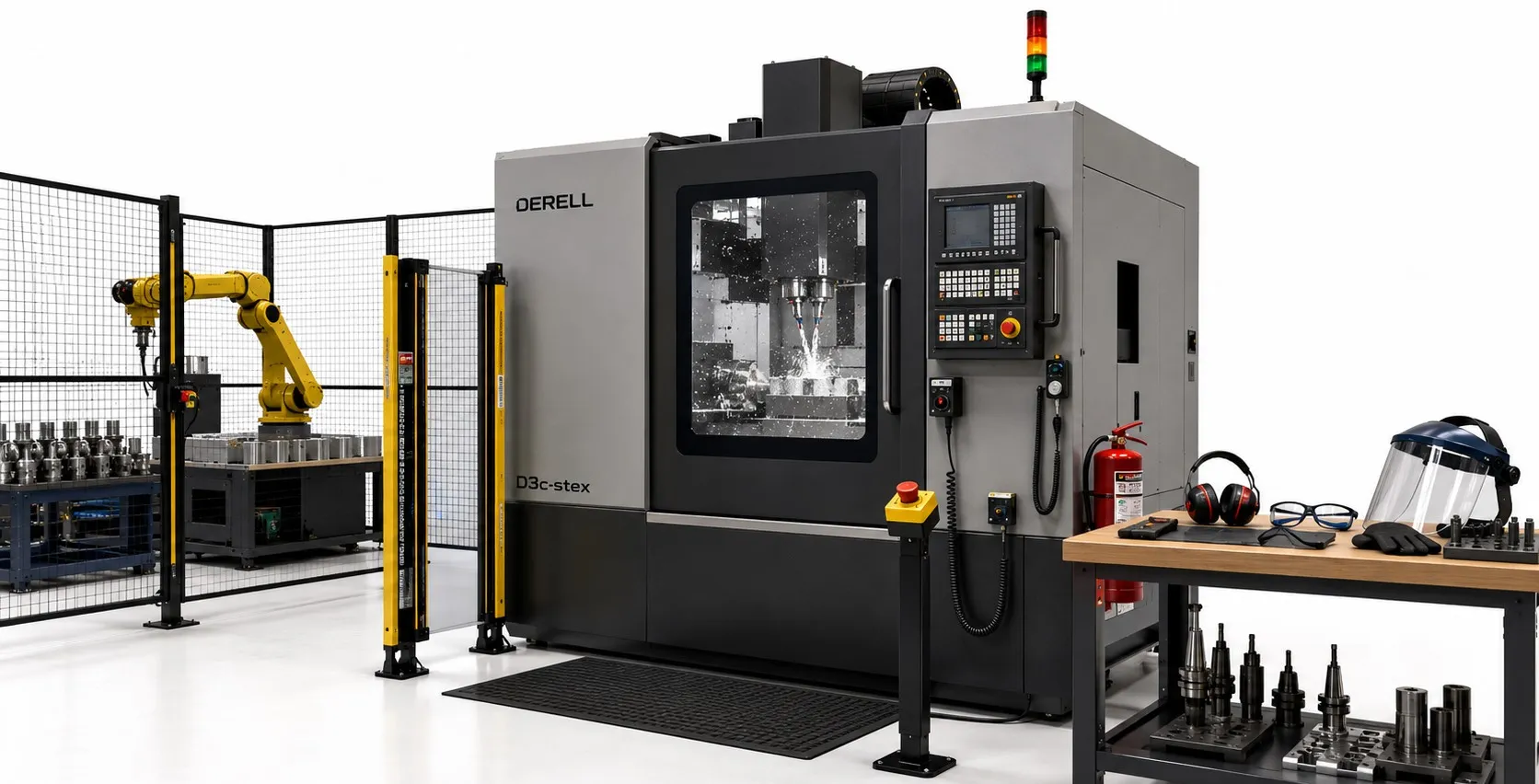
CNC Machine Safety: Setup, Operation and Maintenance
Computer numerical control makes repeatable machining possible, but a programmed cycle still involves physical hazards. Rotating tools, moving axes and released energy can injure people even when the software appears to be running correctly. Understanding how a CNC machine works helps operators recognise those hazards. Safe production depends on the machine, the setup and the people using it. Automation does not remove the need for a controlled working method.
Start with trained people and a clear job plan
Operators need training for the particular CNC control system, its operating modes and the tasks they are authorised to perform. Familiarity with CNC programming languages is useful, but it does not establish competence in workholding, tool changes or fault recovery. Define who may operate, adjust and maintain the equipment. At shift handover, communicate unfinished work, active faults and changes to the setup.
Prepare the surrounding area as well as the machine. Keep access routes clear, provide adequate lighting and remove slippery fluid spills. Controls must remain accessible without entering a hazardous area. A safe starting condition includes everyone near the machine, not just the person at the control panel.
Secure the part and respect tooling limits
Choose workholding that can resist the expected cutting forces and support the part throughout the operation. Check cutting tools, holders and fixture components against their manufacturers' limits. Different machining materials can require different cutting conditions and handling precautions. A loose workpiece or incorrectly installed tool can be ejected from the machine.
Set spindle speed and feed rate for the actual tool, material and setup. A speed that suits the cutter may still exceed a holder or workholding limit. Remove setup keys and loose equipment before starting. Shortening the cycle is never a reason to exceed a component's rated operating conditions.
Prove a new program before routine production
CNC prototyping often introduces unfamiliar setups. Before the first cycle, check work offsets, tool lengths and clearance around fixtures. Programs for complex geometries deserve the same physical checks even when a simulation looks correct. A digital twin can help identify possible conflicts; it cannot certify the real workholding or the values entered at the machine.
Use the manufacturer's method for program verification and initial running. Reassess changes to tooling, stock or offsets before returning to routine operation. An earlier successful run does not prove that a modified setup is safe.
Keep hazardous motion behind suitable guards
Inspect enclosures, interlocks and guards before use. During normal machining, the protective arrangement should prevent access to dangerous moving parts and contain the hazards it was designed to control. Never defeat a door interlock to keep a cycle running. If a setup task requires motion with a door open, use only the operating mode and safeguards provided by the manufacturer.
Do not reach into moving machinery to measure a part, clear a chip or reposition a nozzle. Good visibility through a window does not make physical access safe. Broken windows, damaged guards or unreliable interlocks need attention before the affected operation continues.
Choose protective equipment without adding entanglement risk
Use suitable eye protection, footwear selected for the task and hearing protection where the noise assessment requires it. Secure long hair and remove jewellery and loose clothing. Gloves can become caught in a rotating spindle, chuck or tool. Appropriate gloves may be useful for handling sharp components after motion and unexpected-start hazards have been controlled.
Sharp chips should be handled with suitable equipment rather than bare hands. Wait for safe access conditions and apply the required energy controls before entering the machine for cleaning. Protective clothing and gloves must suit the task without creating another hazard.
Understand normal stopping, emergency stopping and STO
Normal stop controls manage planned interruptions. Emergency stop buttons initiate the machine's emergency stopping function when danger occurs. Operators should know the location and intended effect of each emergency stop. An emergency stop supplements guarding; it does not replace it. Resetting the device must not restart the cycle by itself; a separate normal starting action is needed after safe conditions have been restored.
Some variable frequency drives provide Safe Torque Off (STO). This function prevents the motor from producing torque, but an already moving mechanism may coast. Gravity or other energy sources may still cause movement. STO does not electrically isolate the motor circuit. A stopped axis is not automatically safe to touch or service.
Control hazardous energy before maintenance
Servicing that exposes people to unexpected starting or released energy requires the appropriate written isolation procedure. Consider electrical, pneumatic, hydraulic and stored mechanical energy. Authorised personnel should isolate the relevant sources, apply lockout and tagging as required by the procedure, control stored energy and verify isolation before work begins. A push-button stop is not an energy-isolating device.
Scheduled CNC maintenance should include safety devices and other critical components at the manufacturer's specified intervals. A recurring emergency stop fault requires investigation. Do not bypass a protective circuit to hide an alarm. Fault recovery should address the cause before normal operation resumes.
Treat the safety circuit and the production cell as complete systems
An ordinary industrial sensor or PLC is not automatically suitable for personnel protection. Safety functions depend on the complete arrangement of inputs, logic and final control elements. ISO 13849 provides a framework for designing safety-related control systems. The required safety performance must be established for the application.
With robotic automation, assess the CNC machine, robot and transfer equipment together. Stopping one device may leave another able to move. Access control, restart prevention and safe recovery therefore need to cover the whole cell. A component's safety rating does not establish the safety of the assembled installation.
Control fluid mist, skin exposure and fire hazards
Use suitable local exhaust ventilation for metalworking fluid mist and check that it performs as intended. Allow the necessary clearance time before opening the enclosure; this depends on the installed system. Reduce skin contact and maintain fluid quality. These practices also support management of the environmental impacts of CNC machining. Personal protective equipment supports effective exposure control; it cannot replace it.
Fire precautions must suit the material, fluid and equipment involved. Keep combustible residues under control and establish appropriate detection, response and evacuation arrangements. There is no single extinguishing method suitable for every machining fire. The fire plan must reflect the actual process rather than a generic workshop checklist.
Approve unattended running and manage the return to service
CNC automation can support high-volume production without continuous attendance, but only where the manufacturer permits it and the process has been assessed. Monitoring, fault response and necessary fire protection must be suitable for that operation. An enclosed machine is not proof that every job can run unattended. Review the arrangement when the material, tooling or process changes.
Fault records, inspections and production quality control help identify recurring problems. Include safety requirements when improving the machining process. Before returning equipment to service, confirm that guards are restored, loose equipment is removed and people are clear. Release the machine through its authorised restart procedure. Good output quality alone does not establish safe operation.