
With which devices and systems can Ethernet/IP communicate?
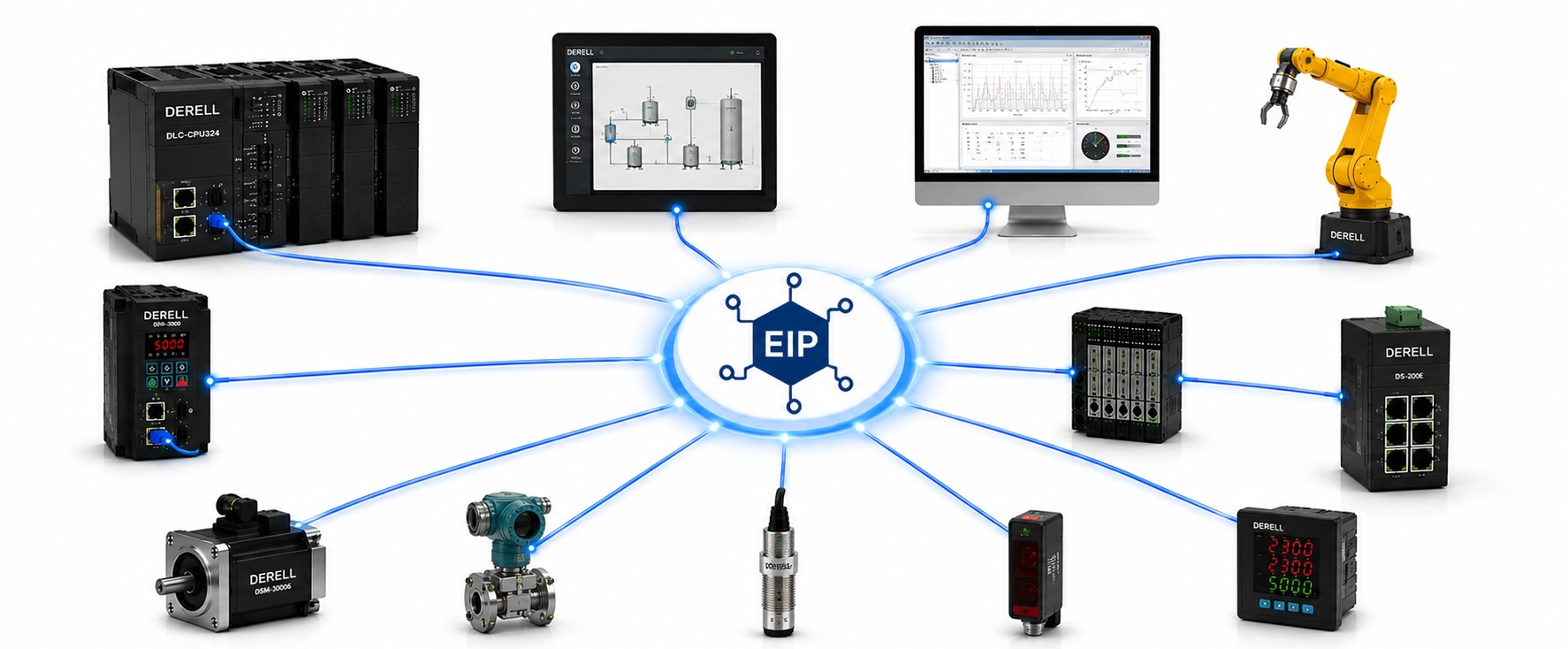
Sharing a network is different from speaking the same protocol
Hello everyone. EtherNet/IP can exchange data between PLCs, HMIs, industrial computers, drives, remote I/O, robots, instruments and identification systems that support the required interfaces and functions. An Ethernet socket alone is insufficient. The protocol, communication roles and data structures must match.
Editor's note: EtherNet/IP support does not establish that two devices can connect directly for every function. Check scanner and adapter roles, particularly for cyclic I/O. If both devices support only the adapter role, neither provides the required scanner function. Direct connections, connections through I/O, and connections through protocol converters need separate assessment.
PLCs and automation controllers
Suitable PLCs and controllers can exchange commands and status with equipment such as drives and remote I/O. A scanner establishes I/O connections with suitable adapters. Controller-to-controller communication requires a supported tag-sharing or messaging method; PLC platforms do not all provide identical data access mechanisms.
CODESYS EtherNet/IP Scanner is one example for compatible controllers, subject to target runtime components and licensing. Other platforms likewise require checks of the controller model, communication option, firmware and connection capacity. Configuration must include the correct device profile, connection points, data sizes and mapping alongside the IP address.
HMIs, SCADA and industrial computers
HMI operator panels can read tags and write permitted commands through a suitable controller driver. SCADA or historian software can also access data through a supported driver or OPC layer. A panel reading PLC data does not thereby demonstrate that it can act as a remote I/O scanner.
The rugged enclosure of an industrial computer does not give it EtherNet/IP capability automatically. The computer needs an appropriate driver, library or control runtime. Check the controller families, data types and access methods supported by the selected software. For example, Kepware's ControlLogix Ethernet driver can expose supported controller data to OPC clients.
Variable frequency drives, servo systems and instruments
Compatible variable frequency drives can exchange run commands, speed references, status words and fault information. Torque references and specialized motion functions depend on the operating modes supported by the equipment. Some drives require a suitable communication adapter, as illustrated by ABB's EtherNet/IP offering. Hardware options within the same family may have different interfaces.
For synchronized servo motion, verify the relevant capabilities of both controller and drive. Set the update interval and timing requirements for the application. Compatible process instruments can also provide measurements and diagnostics. For example, EtherNet/IP is among the communication options for the Endress+Hauser Promag W 500 family. Check the actual order code and interface of the selected flowmeter.
Sensors, actuators, remote I/O and IO-Link
Not every field sensor needs its own Ethernet port. Digital sensors, analog transmitters and valve coils can connect to suitable I/O modules, with the remote I/O station handling EtherNet/IP communication to the PLC. Analog channels require checks of input type, scaling and fault status; digital channels require compatible signal types and electrical characteristics.
IO-Link devices can connect through an IO-Link master with an EtherNet/IP interface. The ifm AL1322 is one example combining these interfaces. Communication between sensor and master uses IO-Link, while communication between master and controller uses EtherNet/IP. The sensor does not become a native EtherNet/IP device because it is connected through this arrangement.
Robot controllers
Compatible robot controllers can exchange ready, start, busy, complete and fault information with a cell PLC. The relevant Universal Robots EtherNet/IP setup guide treats the robot as an adapter and the PLC as a scanner. Check the supported role separately for other robot platforms and options.
Exchanging robot status is a different task from directly controlling every robot axis over EtherNet/IP. Use the robot documentation to identify available commands, register areas and control ownership. Command acceptance conditions matter alongside cyclic data size.
Machine vision, barcode and RFID systems
Supporting smart cameras and vision systems can send inspection results and measurements to a PLC. Cognex In-Sight documentation describes result buffers, data validity and PLC acknowledgment mechanisms. These distinguish new results from data retained from an earlier cycle. If complete images must be transferred, verify the interface specified by the device for that purpose.
Barcode readers can expose decoded strings, trigger status and read errors through supported data areas. Cognex DataMan documentation provides one example. An open connection does not establish that every received value represents a new, valid read. Check result length and handshake signals.
In RFID systems, read/write heads can connect to a suitable RFID interface. TURCK's HF/UHF interfaces illustrate how EtherNet/IP support can be provided according to the selected system. The PLC-facing communication interface and the radio link to the RFID tag are different layers.
Safety devices and CIP Safety
CIP Safety-capable safety controllers and field devices can exchange safety-related data within an appropriate safety architecture. A light curtain or emergency-stop button may also be wired to suitable safety I/O. Not every component needs its own EtherNet/IP port.
A changing bit in ordinary I/O does not create safety communication automatically. Assess the devices, safety manuals, response times and certification scope together. CIP Safety and cybersecurity address different concerns. Check device cybersecurity capabilities separately.
Switches, routers and protocol gateways
Ethernet switches carry traffic between devices within an appropriate network design. Some managed switches additionally provide CIP management or diagnostic functions, which are separate from basic packet forwarding. Verify physical connectivity, speed and topology requirements. Routers can forward packets between networks, but routing alone does not translate application protocols.
Equipment using another protocol may require a suitable protocol gateway. For example, the HMS Anybus ABC3207-A combines Modbus TCP Client and EtherNet/IP Adapter roles. Define the data to be transferred, endpoint roles and mapping when connecting Modbus TCP and EtherNet/IP. PROFIBUS or DeviceNet equipment likewise needs an appropriate converter. A gateway may not translate every device function automatically.
MES, ERP and supervisory systems
Production counts, downtime, recipes and traceability data can reach MES/ERP through an appropriate driver, OPC server, middleware or gateway. The enterprise application does not need to behave as a direct EtherNet/IP I/O device. In custom software development, define the data model, timestamps, data quality and write permissions. Network segmentation and access rules are also part of the integration.
How can compatibility be verified in practice?
Check the product code, communication option, scanner/adapter role, EDS and device documentation, data mapping, revision and capacity together. Then connect the actual controller and test commands, status, communication-loss behavior and diagnostic information. Discovering a device on the network is insufficient for acceptance testing.
For example, in a packaging application, a PLC can act as the scanner for a drive, remote I/O, a reader and a robot, while an HMI displays PLC data through a supported driver. Compatibility is established by validating these connections at the function and data level, rather than listing device categories alone.
Sources
ODVA: EtherNet/IP, CIP and multivendor systems
CODESYS: scanner functions and controller requirements
PTC Kepware: PLC data access for HMI, SCADA and enterprise applications
ABB: EtherNet/IP interfaces for drives
Endress+Hauser: Promag W 500 communication options
ifm: AL1322 IO-Link master and EtherNet/IP interface
Universal Robots: robot adapter and PLC scanner setup
Cognex: In-Sight result data, buffering and acknowledgment
Cognex: DataMan reader data and EtherNet/IP object model
TURCK: communication interfaces for RFID read/write heads
ODVA: CIP Safety and safety devices
HMS Networks: Modbus TCP Client to EtherNet/IP Adapter gateway