
Teco S310 Vfds

Teco S310 Motor speed controller
Hello,
Welcome to our Teco S310 series inverter page.
Operating Teco S310 inverter (speed controller) with External Button and connecting External potentiometer
There is a COM terminal on the upper left terminal on the device control card. A cable connection is made from the terminal to the COM input.
The other end of the cable connects to the 0–1 switch or button. The other end that will come out of the switch or button is connected to the S1 terminal on the terminal.
Then 00 – 03 parameter 0001 must be set. Thus, the device works when the externally connected switch or button is pressed, not via the keypad.
Secondly, let's explain the external potentiometer connection to the device. There are COM, AIN and 10v inputs on the terminals on the device. The common end of our external potentiometer is connected to the AIN input and the other ends are connected to the 10v input with COM. Afterwards, 00 - 05 parameter should be set to 0002, where we can control the frequency from the external potentiometer.
Entering parameters to the device
00-03 Parameter: These are the parameters of how the device will work.
0000 >> Run with Run on Keypad
0001 >> Running with external Run command
0002 >> Operation via communication RS485
00-05 Parameter: Frequency command source selection
0000 > By entering the frequency value on the Keypad
0001 > Using the potentiometer on the Keypad
0002 > Frequency command source can be selected by connecting an External Potentiometer.
00-07 Parameter: The desired frequency upper limit is entered.
00-08 Parameter: Desired Frequency lower limit is entered.
00-09 Parameter: Acceleration time is entered.
00-10 Parameter: Deceleration time is entered.
After the device supply and motor connection is made as described above, enter the above fast start parameters and start the device according to the operating mode you have installed.
Teco S310 Driver
FUNCTIONAL FEATURES
Control Method: V/f Control
Freq. Range 0.01~400.0 Hz
Starting Torque Adjustment 150%/1 Hz (Vector Control)
Speed Control Range 100:1 (Vector Control)
Speed Control Accuracy: ±0.5% (Vector Control)
Setting Sensitivity Digital: 0.01Hz, Analog: 0.06Hz / 60Hz (10bits)
Keyboard Setting Adjusted with ▲▼ Keys
Display 5 digital led display
External Signal Adjustment External Potentiometer: 0-10V, 4-20mA
Frequency Control
Frequency Limit Upper/lower frequency limits
Carrier Frequency 1~12 kHz
V/f shape 6 defined in memory, 1 programmable V/f shape
Accel/Decel Time (0.1-3600 sec)
Instantaneous power reduction, automatic restart, speed detection, overload detection, 8 speed values can be stored in memory, torque boost, slip compensation, frequency lower / upper limit, automatic energy saving, Modbus Slave and PC / PDA connection, automatic restart, Connection Control RS485 One-to-one or one-to-many connections (RS485 only) Baud rate / stop bit / parity can be set.
-> Teco inverter price list >
- VFD main page -
 -
- -
- -
- -
- -
- -
- -
- -
- -
-
Refine Search
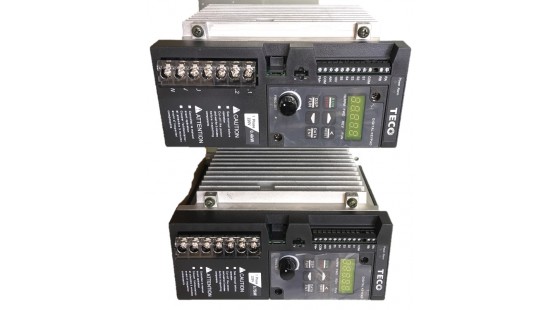
Teco S310 0-4Kw
Teco Economy input: 220v Ac output: 0.4 kw Ac motor drive S310 vfd Control M..
158.00USD Ex Tax: 158.00USD
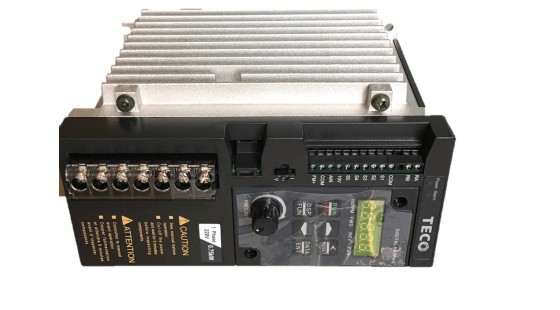
Teco S310 0.75kw
Teco VFD Economy input: 220v Ac output: 0.75 kw Ac motor drive S310 vfd ..
160.00USD Ex Tax: 160.00USD
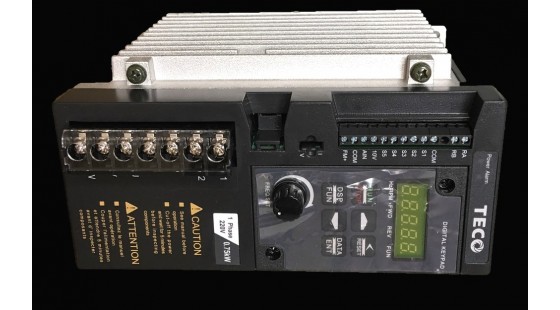
Teco S310 1.5kw
Teco Economy input: 220v Ac output: 1.5 kw Ac motor drive S310 vfd Control M..
199.00USD Ex Tax: 199.00USD