
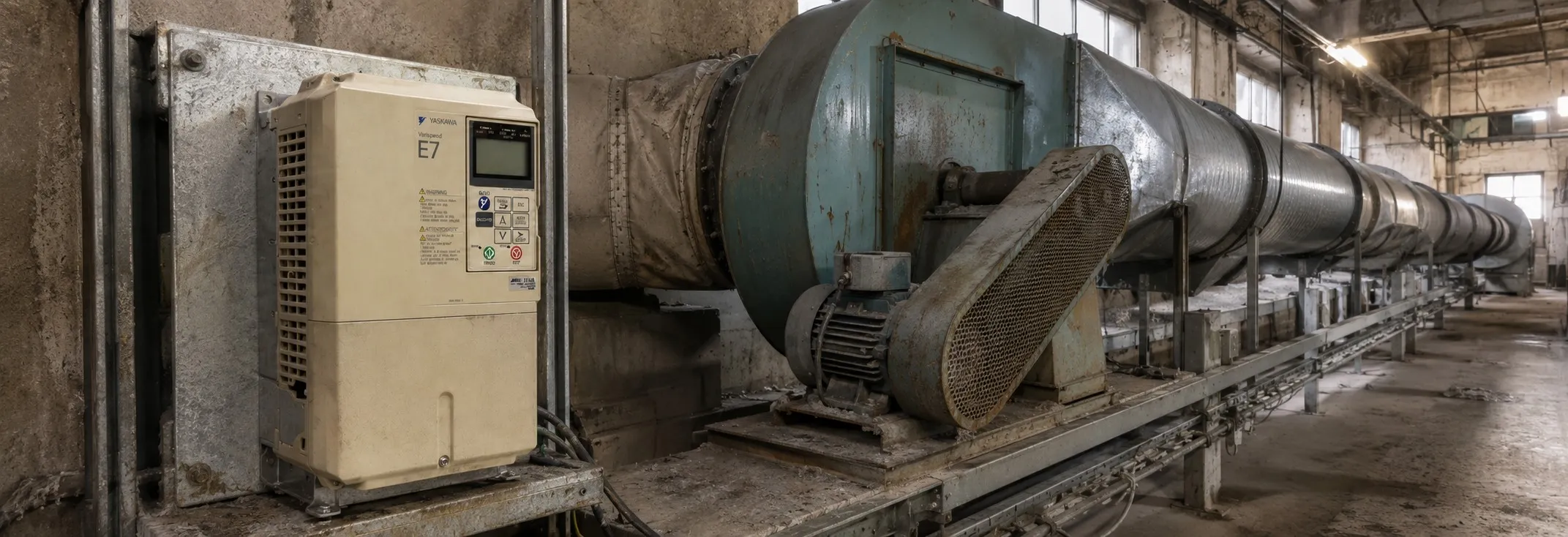
Yaskawa E7 Fault Codes
If Parameter Cannot Be Set:
The Drive is operating (drive mode). Remove the run command and then set the parameters.
Parameter write enable is input. Turn it ON and then set the parameters.
Passwords do not match. Enter the correct password in A1-04 or reset the password.
If the Motor Does Not Operate:
Ensure the digital operator is securely connected to the Drive.
The Speed Command (Frequency Reference) is too low. Raise the Speed Command to at least the minimum output frequency.
The Drive is not in drive mode. Press the MENU key once and press the DATA/ENTER key to enter drive mode.
The load may be too high. Lengthen the acceleration time (CI-01) or reduce the load.
The Direction of the Motor Rotation is Reversed:
Switch any two wires among U/TI, V/T2, and W/T3 to reverse the direction of rotation.
If the Motor Does Not Put Out Torque or If Acceleration is Slow:
The stall prevention level during acceleration or running is too low. Check the set value and ensure it is suitable.
If the Motor Operates at a Higher Speed Than the Speed Command:
A signal is being input to the Speed Command (current) terminal A2. Check the preset frequency reference or PI mode settings.
If the Motor Overheats:
Reduce the load amount or increase the acceleration/deceleration times. Also, consider increasing the motor size.
Lower the motor's ambient temperature to within its acceptable range.
If Peripheral Devices Like DDCs or Others are Influenced by Starting or Running Drive:
Change the Drive's Carrier Frequency Selection (C6-02) to lower the carrier frequency.
Install an Input Noise Filter at the Drive's input power terminals.
Use metal conduit and ground the Drive and motor.
Separate main circuit wiring from control wiring.
If a “Stand-alone” Ground Fault Interrupter Operates When the Drive is Run:
Use a ground fault interrupter with a high leakage detection level or one that incorporates high frequency countermeasures.
Change the Drive's Carrier Frequency Selection (C6-02) to lower the carrier frequency.
If There is Mechanical Vibration:
Adjust the carrier frequency with parameters C6-02 to C6-05 to prevent resonance.
Use the jump frequency functions in parameters d3-01 to d3-04, or balance the driven motor and load to reduce vibration.
If the Motor Rotates Even When Drive Output is Stopped:
Increase the parameter b2-04 (DC Injection Braking Time at Stop) setting.
Increase the parameter b2-02 (DC Injection Braking Current) setting.
If Zero Volts is Detected When a Motor is Started, or Stalls:
Increase parameter b2-03 (DC injection braking time at start) setting to slow motor rotation by DC injection braking before starting.
If the Accepted Speed Command Does Not Rise to the User Speed Command Input:
Check the Jump Frequency (parameters d3-01 to d3-03) and Jump Frequency Width (parameter d3-04) settings.
Check the parameter E1-04 and d2-01 settings to ensure the output frequency upper limit is suitable.
BUS - Option Communication Error
Description: After initial communication was established, the connection was lost. The connection is broken, and the master has stopped communicating.
Solution: Check all connections and verify all user-side software configurations.
CE - Memobus Communication Error
Description: Control data was not received correctly for two seconds. The connection is broken, and the master has stopped communicating.
Solution: Check all connections and verify all user-side software configurations.
CPF00 - Operator Communication Fault 1
Description: Transmission between the Drive and the digital operator cannot be established within 5 seconds after supplying power. This could be due to the digital operator cable not being securely connected, the digital operator being defective, or the control board being defective.
Solution: Remove the digital operator once and then reinstall it. Cycle power off and on to the Drive. If the issue persists, replace the Drive.
CPF01 - Operator Communication Fault 2
Description: After communication started with the digital operator, a communication fault occurred for 2 seconds or more. This could be due to the digital operator cable not being securely connected, the digital operator being defective, or the control board being defective.
Solution: Remove the digital operator once and then reinstall it. Cycle power off and on to the Drive. If the issue persists, replace the Drive.
CPF02 - Baseblock Circuit Fault
Description: Baseblock circuit fault at power-up. This could be due to a gate array hardware failure during power-up.
Solution: Perform a factory initialization. Cycle power off and on to the Drive. If the issue persists, replace the control board.