
Yaskawa A1000 Fault index
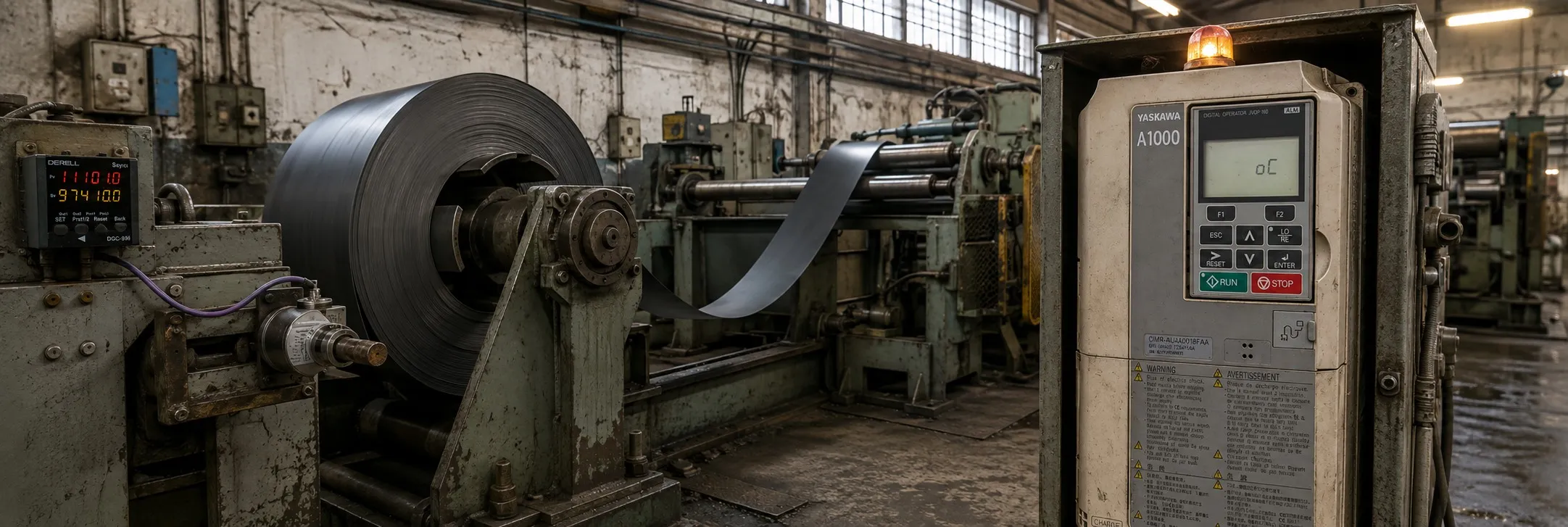
Yaskawa A1000 VFD Alarm and Fault Codes
boL (Braking Transistor Overload Fault): This fault occurs when the braking transistor is overloaded. Check the braking resistor and the duty cycle of the braking operation.
bUS (Option Communication Error): This error indicates a communication problem with an option card. Check the connection and settings of the option card.
CE (MEMOBUS/Modbus Communication Error): This fault occurs when there is a communication error with the MEMOBUS/Modbus. Check the communication settings and wiring.
CF (Control Fault): This fault indicates a problem with the control circuit. Check the control board and connections.
CPF11 to CPF14, CPF16 to CPF19, CPF20, CPF21 (Control Circuit Error): These errors indicate issues with the control circuit. Check the control board and connections.
CPF02 (A/D Conversion Error): This error occurs when there is a problem with the A/D conversion. Check the control board and connections.
CPF03, CPF23 (Control Board Connection Error): These errors indicate a connection problem with the control board. Check the connections and the board itself.
CPF06 (EEPROM Memory Data Error): This error occurs when there is a problem with the data stored in the EEPROM memory. Check the control board and memory components.
CPF07, CPF08 (Terminal Board Connection Error): These errors indicate a connection problem with the terminal board. Check the connections and the board itself.
CPF22 (Hybrid IC Error): This error occurs when there is a problem with the hybrid IC. Check the control board and the IC components.
CPF24 (Drive Unit Signal Fault): This fault occurs when there is a problem with the signal from the drive unit. Check the connections and the drive unit.
dEv (Excessive Speed Deviation): This error occurs when there is an excessive deviation in speed, especially in control modes with a pulse generator (PG). Check the speed settings and the PG.
dv1 to dv4 (Z Pulse Fault Detection, Z Pulse Noise Fault Detection, Inversion Detection, Inversion Prevention Detection): These errors are related to the Z pulse signal. Check the pulse generator and the settings.
dv7 (Polarity Judge Timeout): This error occurs when there is a timeout in judging the polarity. Check the settings related to polarity.
dWFL (DriveWorksEZ Fault): This fault occurs when there is a problem with the DriveWorksEZ software. Check the software settings and connections.
E5 (SI-T3 Watchdog Timer Error): This error occurs when the watchdog timer in the SI-T3 option card detects an issue. Check the SI-T3 card and its settings.
EF0 to EF8 (External Fault): These faults occur when an external fault signal is received through input terminals S1 to S8. Check the external devices and wiring.
Err (EEPROM Write Error): This error occurs when there is a problem writing data to the EEPROM. Check the control board and memory components.
FAn (Internal Fan Fault): This fault occurs when there is a problem with the internal cooling fan. Check the fan and its connections.
FbH (Excessive PID Feedback), FbL (PID Feedback Loss): These errors are related to the PID feedback loop. Check the feedback signal and the PID settings.
GF (Ground Fault): This fault occurs when there is a ground fault in the motor or wiring. Check the insulation and wiring for any damage or shorts to ground.
LF (Output Phase Loss), LF2 (Current Imbalance), LF3 (Power Unit Output Phase Loss): These faults indicate a problem with the output phase or current imbalance. Check the motor and wiring for any issues.
nSE (Node Setup Error): This error occurs when there is a problem with the setup of a node in a network. Check the network settings and connections.
oC (Overcurrent): This fault occurs when an overcurrent condition is detected. Check the motor and wiring for any issues that may cause excessive current.
oFA00 to oFA43, oFb00 to oFb17, oFC00 to oFC17 (Option Card Connection Error, Option Card Fault, Option Card Error): These errors are related to the connection and operation of option cards. Check the option cards and their connections.
oH, oH1, oH3, oH4, oH5 (Heatsink Overheat, Motor Overheat): These faults occur when the heatsink or motor overheats. Check the cooling system and the motor for any issues that may cause overheating.
oL1, oL2, oL3, oL4, oL5, oL7 (Motor Overload, Drive Overload, Overtorque Detection, Mechanical Weakening Detection, High Slip Braking): These faults are related to overload conditions or mechanical issues. Check the motor, drive settings, and mechanical components for any problems.
oPr (Operator Connection Fault): This fault occurs when there is a problem with the connection to the operator interface. Check the connection and the operator panel.
oS (Overspeed): This fault occurs when the motor exceeds the maximum speed limit, especially in control modes with a pulse generator (PG). Check the speed settings and the PG.
ov (Overvoltage): This fault occurs when the DC bus voltage exceeds the maximum limit. Check the input power supply and the drive settings.
PF (Input Phase Loss): This fault occurs when one or more phases of the input power are lost. Check the input power supply and the wiring.
PGo (PG Disconnect): This fault occurs when the pulse generator (PG) is disconnected in control modes with PG. Check the PG connection and settings.
PGoH (PG Hardware Fault): This fault occurs when there is a hardware problem with the PG, specifically when using PG-X3. Check the PG and its connections.
rF (Braking Resistor Fault): This fault occurs when there is a problem with the braking resistor. Check the resistor and its connections.
rH (Dynamic Braking Resistor): This fault occurs when there is a problem with the dynamic braking resistor. Check the resistor and its connections.
rr (Dynamic Braking Transistor): This fault occurs when there is a problem with the dynamic braking transistor. Check the transistor and its connections.
SC (IGBT Short Circuit or Ground Fault): This fault occurs when there is a short circuit or ground fault in the IGBT module. Check the IGBT and the drive circuits.
SEr (Too Many Speed Search Restarts): This fault occurs when there are too many restarts during the speed search process. Check the speed search settings and the motor.
STo (Pull-Out Detection): This fault occurs when the motor is detected to be pulling out of synchronization. Check the motor and the load conditions.
SvE (Zero-Servo Fault): This fault occurs when there is a problem with the zero-servo control. Check the servo settings and the motor.
THo (Thermistor Disconnect): This fault occurs when the thermistor used for temperature detection is disconnected. Check the thermistor and its connections.
UL3, UL4 (Undertorque Detection): These faults occur when the motor torque is below the set limit. Check the load conditions and the torque settings.
UL5 (Mechanical Weakening Detection 2): This fault occurs when there is a detection of mechanical weakening in the system. Check the mechanical components and the load conditions.
UnbC (Current Unbalance): This fault occurs when there is an unbalance in the motor current. Check the motor and the wiring for any issues.
Uv1 (Undervoltage): This fault occurs when the DC bus voltage falls below the minimum limit. Check the input power supply and the drive settings.
Uv2 (Control Power Supply Undervoltage): This fault occurs when the control power supply voltage is too low. Check the power supply and the drive settings.
Uv3 (Soft Charge Circuit Fault): This fault occurs when there is a problem with the soft charge circuit. Check the circuit components and the drive settings.
Uv4 (Gate Drive Board Undervoltage): This fault occurs when the voltage to the gate drive board is too low. Check the board and its power supply.
voF (Output Voltage Detection Fault): This fault occurs when there is a problem with the detection of the output voltage. Check the voltage sensors and the drive settings.
AEr (SI-T Station Number Setting Error): This error occurs when there is an issue with the station number settings for CC-Link, CANopen, or MECHATROLINK-II. Check the network settings.
bb (Drive Baseblock): This condition indicates that the drive is in baseblock mode, resulting in no output. Check the control signals and settings.
CALL (Serial Communication Transmission Error): This error occurs when there is a transmission error in serial communication. Check the communication settings and connections.
CrST (Cannot Reset): This condition indicates that the drive cannot be reset. Check for persistent faults or conditions that prevent reset.
dnE (Drive Disabled): This condition indicates that the drive is disabled. Check the control settings and ensure that the enable command is given.
dWAL (DriveWorksEZ Alarm): This alarm occurs when there is an issue with the DriveWorksEZ software. Check the software settings and connections.
EF (Run Command Input Error): This error occurs when there is an issue with the run command input. Check the control signals and settings.
Hbb, HbbF (Safe Disable Signal Input): These conditions indicate that a safe disable signal has been input. Check the safety settings and signals.
HCA (Current Alarm): This alarm occurs when there is an issue with the current. Check the motor and drive settings.
LT-1 to LT-4 (Maintenance Time Alarms): These alarms indicate that maintenance is required for the cooling fan, capacitors, soft charge bypass relay, or IGBTs. Perform the necessary maintenance.
PASS (MEMOBUS/Modbus Test Mode Complete): This condition indicates that the test mode for MEMOBUS/Modbus communication is complete.
rUn (During Run 2, Motor Switch Command Input): This condition indicates that a motor switch command has been input during Run 2 mode. Check the control settings.
SE (MEMOBUS/Modbus Test Mode Fault): This error occurs when there is a fault in the test mode for MEMOBUS/Modbus communication. Check the communication settings.
oPE01 to oPE18 (Operation Errors): These errors indicate issues with various settings, including drive unit settings, parameter range settings, input settings, control method selection, analog input selection, PID control selection, V/f data settings, carrier frequency settings, pulse train monitor selection, torque control settings, energy-saving constants, and online tuning parameter settings. Check the respective settings and ensure they are correct and compatible with the drive hardware.
Error Codes:
End1 to End7 (Setting Errors): These errors relate to various settings, such as excessive V/f setting, motor iron core saturation coefficient error, rated current setting alarm, adjusted slip value falling below the lower limit, resistance between lines error, leakage inductance alarm, and no-load current alarm. Check the respective settings and adjust them as needed.
Er-01 to Er-21 (Motor Data and Setting Errors): These errors indicate issues with motor data and settings, such as motor data error, alarm, STOP button input, line-to-line resistance error, no-load current error, rated slip error, acceleration error, motor direction error, motor speed error, current detection error, leakage inductance error, torque saturation error, inertia ID error, reverse prohibited error, induction voltage error, PM inductance error, stator resistance error, and Z pulse correction error. Check the motor settings, wiring, and data to ensure they are correct and compatible with the drive.
CoPy (Writing parameter settings): Indicates that parameter settings are being written to the drive. This message flashes during the process.
CPEr (Control mode mismatch): This error occurs when there is a mismatch between the control modes of the source and destination drives during the copy process. Check the control modes and ensure they match.
CPyE (Error writing data): This error indicates an issue occurred while writing data during the copy process. Check the connection and try the process again.
CSEr (Copy unit error): This error occurs when there is an issue with the copy unit. Check the copy unit and its connections.
dFPS (Drive model mismatch): This error occurs when there is a mismatch between the drive models of the source and destination drives during the copy process. Ensure the drive models are compatible.
End (Task complete): Indicates that the copy task is complete. This message appears when the process is successfully finished.
iFEr (Communication error): This error occurs when there is a communication error during the copy process. Check the communication settings and connections.
ndAT (Model, voltage class, capacity mismatch): This error occurs when there is a mismatch in the model, voltage class, or capacity between the source and destination drives. Ensure compatibility before proceeding with the copy process.
rdEr (Error reading data): This error indicates an issue occurred while reading data during the copy process. Check the connection and try the process again.
rEAd (Reading parameter settings): Indicates that parameter settings are being read from the drive. This message flashes during the process.
vAEr (Voltage class, capacity mismatch): This error occurs when there is a mismatch in the voltage class or capacity between the source and destination drives. Ensure compatibility before proceeding.
vFyE (Parameter setting mismatch): This error indicates a mismatch in parameter settings during the verification process. Check the settings and ensure they match.
vrFy (Comparing parameter settings): Indicates that parameter settings are being compared. This message flashes during the verification process.
--------