
What is Vijeo Citect?
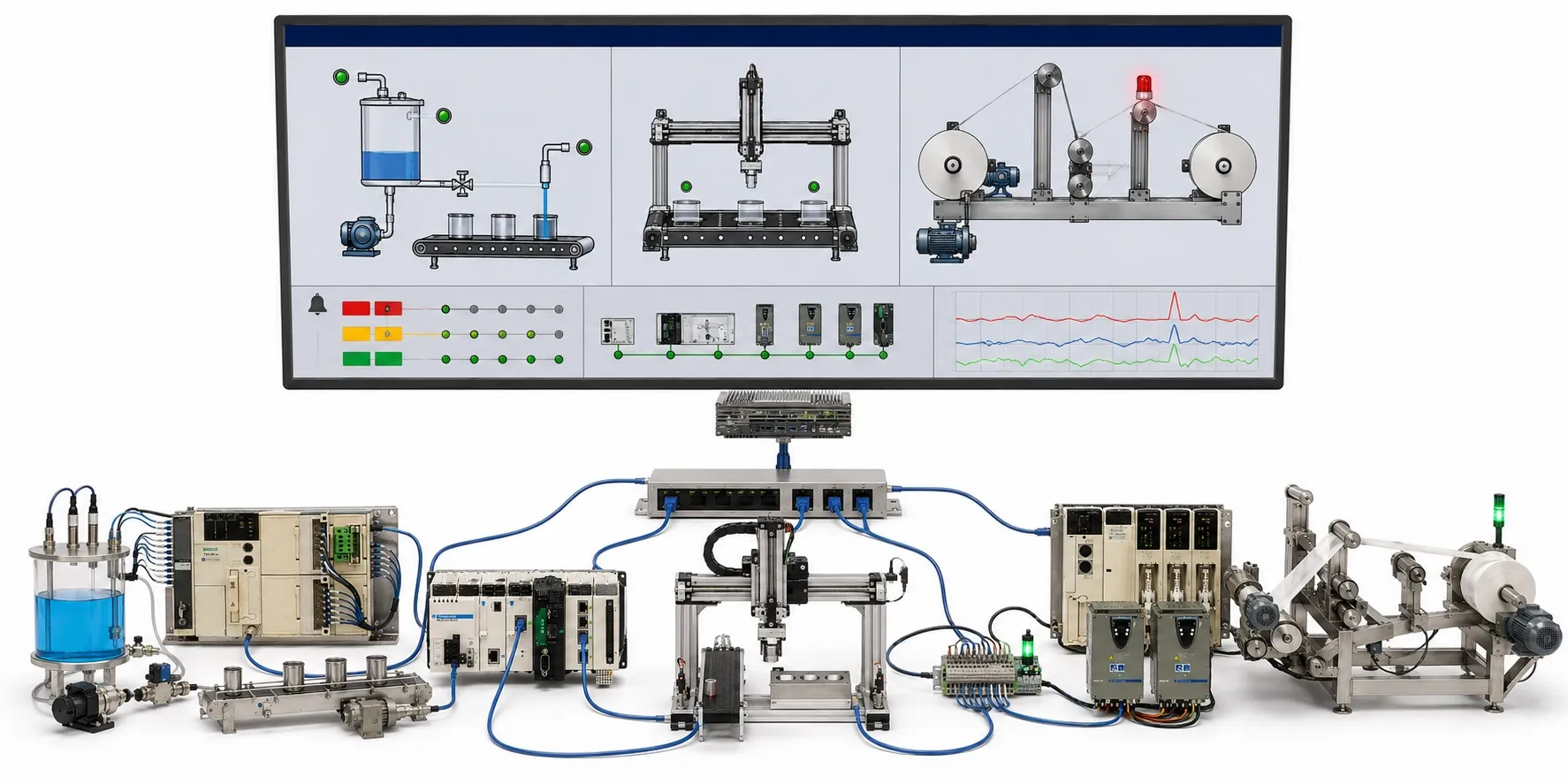
Turning field data into an operator view
Vijeo Citect is SCADA software used to collect industrial data, monitor equipment and send authorised operator commands to a control system. Its HMI screens bring equipment states, measurements, alarms and historical records together. Its purpose is to turn activity in the field into a clear operational picture.
The product names need some context: the Schneider Electric Vijeo Citect and CitectSCADA product families were consolidated under the Citect SCADA name in 2016. Citect SCADA subsequently became AVEVA Plant SCADA. You may still encounter the Vijeo Citect name on an existing installation, but the features, licensing and support terms of the current product do not automatically apply to that older system.
How PLC, HMI and SCADA responsibilities differ
A PLC processes field inputs and executes local control logic. SCADA collects and displays information and lets operators issue permitted commands. For example, a pump start request may originate on an operator screen, while the control system checks operating permissives and motor protection conditions. A SCADA display does not replace a safety circuit.
In PID control with SCADA, an operator can change a pressure setpoint and review trends, while the fast control loop usually runs in the PLC or a suitable controller. Screen refresh time and control loop execution time are different. Define how the plant should behave if communications fail during system design.
Device connections and reliable data
A device brand alone does not establish compatibility. Check the industrial communication protocol, device model, driver version and software compatibility together. Connecting a Modicon controller or another manufacturer's PLC depends on support for the chosen communication path. Modbus and RS-485 also describe different things: Modbus is a protocol family, while RS-485 is an electrical interface; Modbus TCP runs over Ethernet.
OPC UA is one option for exchanging data between systems. However, an OPC Classic connection in an older Vijeo Citect project does not establish OPC UA support. Verify client and server roles, required components and version support separately. Incorrect addresses, data types, scaling, engineering units or data quality handling can make an apparently plausible screen value misleading.
Alarms, trends and a practical example
An alarm identifies a condition requiring attention; a trend shows how a value changes over time. Set alarm priorities, delays and return conditions according to the process. Acknowledging an alarm does not mean the fault has been resolved. Useful historical records also depend on time synchronisation, sampling intervals and a planned retention period.
At a pumping station, one screen can show the measurement from a pressure sensor, operating information from a variable frequency drive and the state of a liquid level relay. If motor or process temperature is monitored, a Pt100 measurement reaches the system through a suitable input module or transmitter. Operators can then investigate whether low pressure coincided with a drive fault or a level condition.
Engineering a project and migrating an older system
The engineering environment is where screens, tags, alarms and connections are configured; runtime executes the project. In the Citect family, Cicode provides scripting for custom functions and screen behaviour. Clear configuration, with custom code used where needed, makes maintenance easier. Assess server and client roles and redundancy against the installed version and licence; SCADA server redundancy and PLC redundancy are separate designs.
Before migration, inventory the project backup, communication drivers, custom code, graphics libraries and licence details. Check the target version's Windows compatibility, supported upgrade path and any required intermediate versions. Opening the project successfully is only one step: test device reads and writes, alarm behaviour, historical records, user permissions and any standby server changeover in a separate test environment.
Editor's note
A displayed pressure value is not proof that the measurement is still current. If the last value remains visible after a communication failure, an operator may assume the equipment is operating normally. Clearly distinguish invalid or stale data, and show command transmission separately from confirmed running feedback from the field.
Keeping the system secure and maintainable
For industrial cybersecurity, separate operator and engineering privileges, restrict network access and control remote connections. Test updates before production deployment and verify that backups can be restored. When assessing an older installation, consider its support status and recoverability alongside its ability to run.
Related topics and categories
Control and communication: What is SCADA?, HMI panels, What is a PLC?, Modbus and RS-485, OPC UA.
Field equipment: Pressure sensors, Pt100 temperature measurement, Variable frequency drives, Liquid level relays, Pumps.