
ATV 66 Fault codes
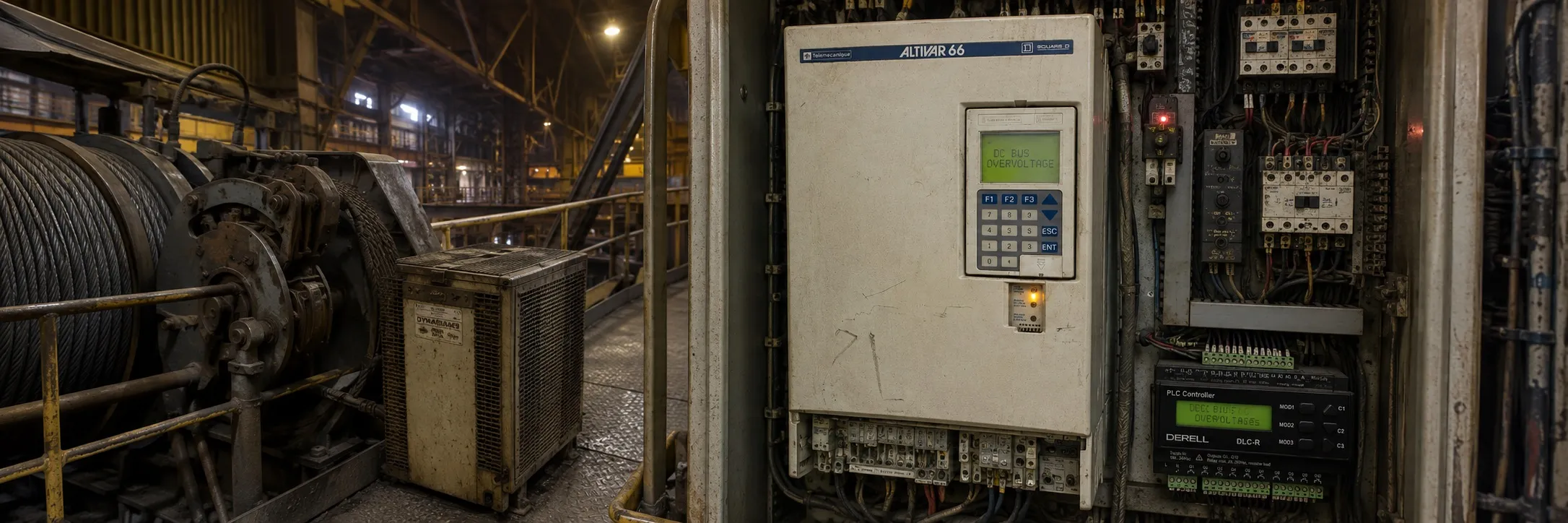
Maintenance:
Before performing any operation on the speed controller, switch off the power supply and wait for the capacitors to discharge (approximately 1 minute). The red LED inside the speed controller goes off.
The DC voltage at terminals + and - or PA and PB may reach 800 to 900 V depending on the supply voltage.
If there's a problem during start-up or operation, first check that the recommendations regarding the environment, mounting, and connection have been followed.
Servicing:
The Altivar 66 does not require any preventive servicing.
However, it is advisable to perform the following at regular intervals:
Check the state and tightness of connections.
Ensure that the temperature around the device remains at an acceptable level, and that the ventilation is efficient (average lifetime for fans: 3 to 5 years depending on operating conditions).
Remove dust from the speed controller if necessary.
Maintenance Assistance:
The first fault detected is memorized and displayed on the graphic terminal screen if the control voltage (terminals CL1-CL2) is maintained: the speed controller locks, the red LED lights, and the security relay R1 is tripped.
Clearing the Fault:
Switch off the power supply to the speed controller: to the power terminals in the event of a fault that can be reset, to the power and control terminals in the event of a fault that cannot be reset.
Find the cause of the fault to correct it.
Reconnect the power supply: this clears the fault if it has disappeared.
In some cases, the speed controller may restart automatically when the fault has disappeared if this function has been programmed using the graphic terminal.
Maintenance Assistance:
Faults that can be reset:
Fault Probable Cause Remedial Procedure
Input phase loss Incorrect supply to controller or melting of fuses Check the connection and the power fuses
Undervoltage AC supply too low Check the voltage or the motor parameter Un via the graphic terminal
AC-line overvoltage AC supply too high Check the voltage or the motor parameter Un via the graphic terminal
Drive overtemperature Heatsink temperature too high Check the motor load, the speed controller ventilation, and the environment
Motor overload Thermal tripping caused by prolonged overload Check the adjustment of the thermal protection and the motor load
DC-bus overvoltage Excessive braking or driving load Increase the deceleration time, add a braking resistor if necessary
Output phase loss Fault on one phase at speed controller output Check the motor connections
Loss follower Loss of the 4-20 mA reference on input AI2 Check the connection of the reference circuits
Serial link fault Communication fault via the serial link Check the connection of the graphic terminal to the speed controller
Overspeed Motor control loss Check the motor load
This table summarizes the basic information regarding the maintenance and servicing of the Altivar 66 speed controller, along with resettable faults. Always take safety precautions and be careful when working with electrical equipment.
Non-resettable Faults:
Short-circuit Short-circuit or earthing at speed controller output Check the connection cables and the motor insulation, check the speed controller using the graphic terminal in diagnostic mode
Ground fault Grounding at speed controller output (with the speed controller output disconnected) Check the speed controller using the graphic terminal in diagnostic mode
Precharge failure Control fault in the capacitor charging relay or load resistor damaged Check the connections in the speed controller and the load resistor
Internal fault Internal fault or connection fault Check the speed controller using the graphic terminal in diagnostic mode, check the connections in the speed controller
Memory failure Memory error in EEPROM Return to factory settings or client settings using the graphic terminal
Transistor short-circuit Transistor fault detected by the automatic self-test each time the speed controller is powered up Check the speed controller using the graphic terminal in diagnostic mode
Open transistor Transistor fault detected by the automatic self-test each time the speed controller is powered up Check the speed controller using the graphic terminal in diagnostic mode
Dynamic brake fault Fault detected if braking resistor present Check the speed controller using the graphic terminal in diagnostic mode
Speed feedback loss Coder feedback cable disconnected or optical coder fault Check the connector and the optical coder
Encoder card fault Bad fixing or incompatible card Check the mounting of the card and the connector, check the release of the card
These faults are non-resettable, meaning they require direct intervention to correct the underlying issue. Always take safety precautions and be careful when working with electrical equipment.