
Omron 3G3JV fault codes
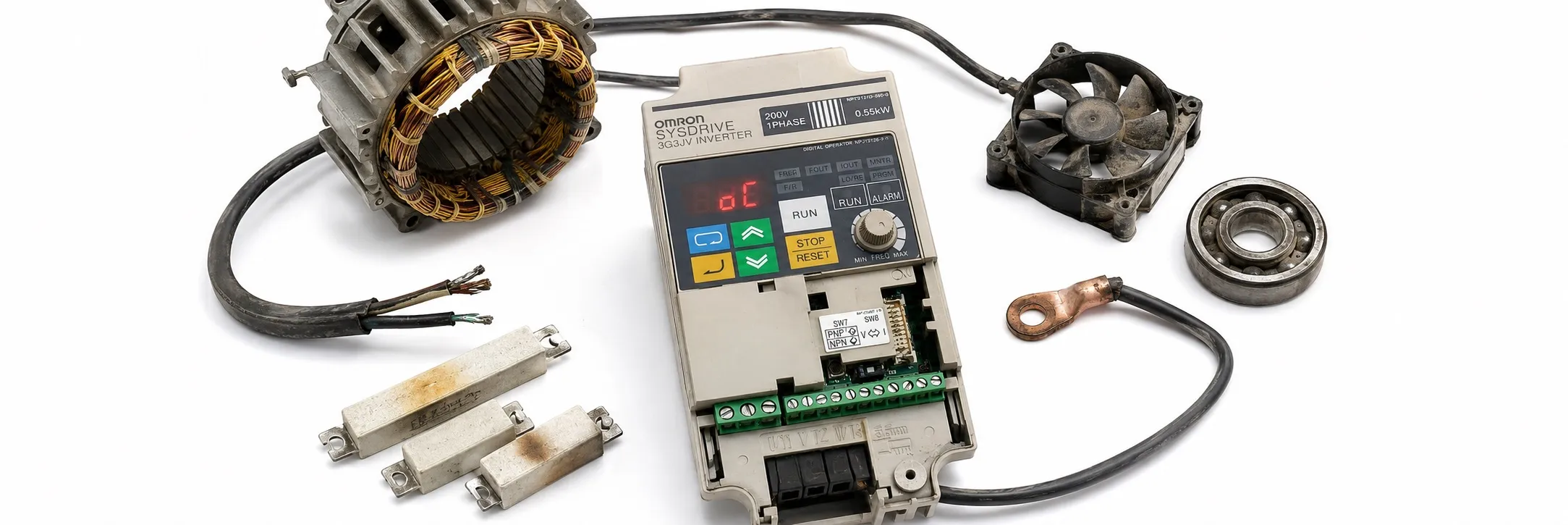
1. Overcurrent (OC)
- Meaning: The output current of the inverter is equal to or greater than 200% of the rated output current.
+ Possible Causes and Solutions:
> Short-circuit or ground fault at the inverter output. → Check and correct the motor power cable.
> Incorrect V/f setting. → Reduce the V/f set voltage.
> Motor capacity is too large for the inverter. → Reduce the motor capacity to the maximum permissible limit.
> Magnetic contactor on the output side of the inverter has been opened and closed. → Rearrange the sequence to prevent opening or closing while the inverter has current output.
> Damaged output circuit of the inverter. → Replace the inverter.
2. Overvoltage (OV)
- Meaning: The main circuit DC voltage has reached the overvoltage detection level.
+ Possible Causes and Solutions:
> Deceleration time is too short. → Increase the deceleration time.
> Power supply voltage is too high. → Decrease the voltage to be within specifications.
> Excessive regenerative energy due to overshooting during acceleration. → Suppress the overshooting as much as possible.
3. Main Circuit Undervoltage (UV1)
- Meaning: The main circuit DC voltage has reached the undervoltage detection level.
+ Possible Causes and Solutions:
> Phase loss in power supply to the inverter, loose power input terminal screws, or disconnected power cable. → Check and take necessary countermeasures.
> Incorrect power supply voltage. → Ensure the power supply voltage is within specifications.
> Momentary power interruption. → Use momentary power interruption compensation (Set n47 for inverter restart after power restoration) and improve the power supply.
> Damaged internal circuitry of the inverter. → Change the inverter.
4. Radiation Fin Overheated (OH)
- Meaning: The temperature of the radiation fins of the inverter has reached 110°C ± 10°C.
+ Possible Causes and Solutions:
> Ambient temperature is too high. → Ventilate the inverter or install a cooling unit.
> Excessive load. → Reduce the load or decrease the inverter capacity.
> Incorrect V/f setting. → Reduce the V/f set voltage.
> Acceleration/deceleration time is too short. → Increase the acceleration/deceleration time.
> Ventilation is obstructed. → Change the location of the inverter to meet installation conditions.
> Cooling fan of the inverter does not work. → Replace the cooling fan.
5. Motor Overload (OL1)
- Meaning: The electric thermal relay has actuated the motor overload protective function.
+ Possible Causes and Solutions:
> Excessive load. → Reduce the load or decrease the inverter capacity.
> Incorrect V/f setting. → Reduce the V/f set voltage.
> Low value in n11 for maximum voltage frequency. → Check the motor nameplate and set n11 to the rated frequency.
> Short acceleration/deceleration time. → Increase the acceleration/deceleration time.
> Incorrect value in n32 for rated motor current. → Check the motor nameplate and set n32 to the rated current.
> Inverter is driving more than one motor. → Disable the motor overload detection function and install an electronic thermal relay for each motor. Disable by setting n32 to 0.0 or n33 to 2.
> Short motor protective time setting in n34. → Set n34 to 8 (default value).
6. Inverter Overload (OL2)
- Meaning: The electronic thermal relay has actuated the inverter overload protective function.
+ Possible Causes and Solutions:
> Excessive load. → Reduce the load.
> Incorrect V/f setting. → Reduce the V/f set voltage.
> Short acceleration/deceleration time. → Increase the acceleration/deceleration time.
> Insufficient inverter capacity. → Use an inverter model with a higher capacity.
7. Overtorque Detection (OL3)
- Meaning: A current or torque equal to or greater than the setting in n60 for overtorque detection level and n61 for overtorque detection time has been detected, with n59 for overtorque detection function selection set to 2 or 4.
+ Possible Causes and Solutions:
> Mechanical system is locked or has a failure. → Check the mechanical system and correct the cause of overtorque.
> Incorrect parameter settings. → Adjust the n60 and n61 parameters according to the mechanical system. Increase the set values in n60 and n61.
8. Ground Fault (GF)
- Meaning: The ground fault current at the output of the inverter has exceeded the rated output current of the inverter.
+ Possible Causes and Solutions:
> Ground fault at the inverter output. → Check the connections between the inverter and motor and reset the fault after correcting its cause.
9. External Fault (EF)
- Meaning: An external fault has been input from a multi-function input. The EF number indicates the number of the corresponding input (S2 to S5).
+ Possible Causes and Solutions:
> External fault input from a multi-function input. → Remove the cause of the external fault.
> Incorrect sequence. → Check and change the external fault input sequence, including the input timing and NO or NC contact.