
Mitsubishi AL2-EEPROM-2
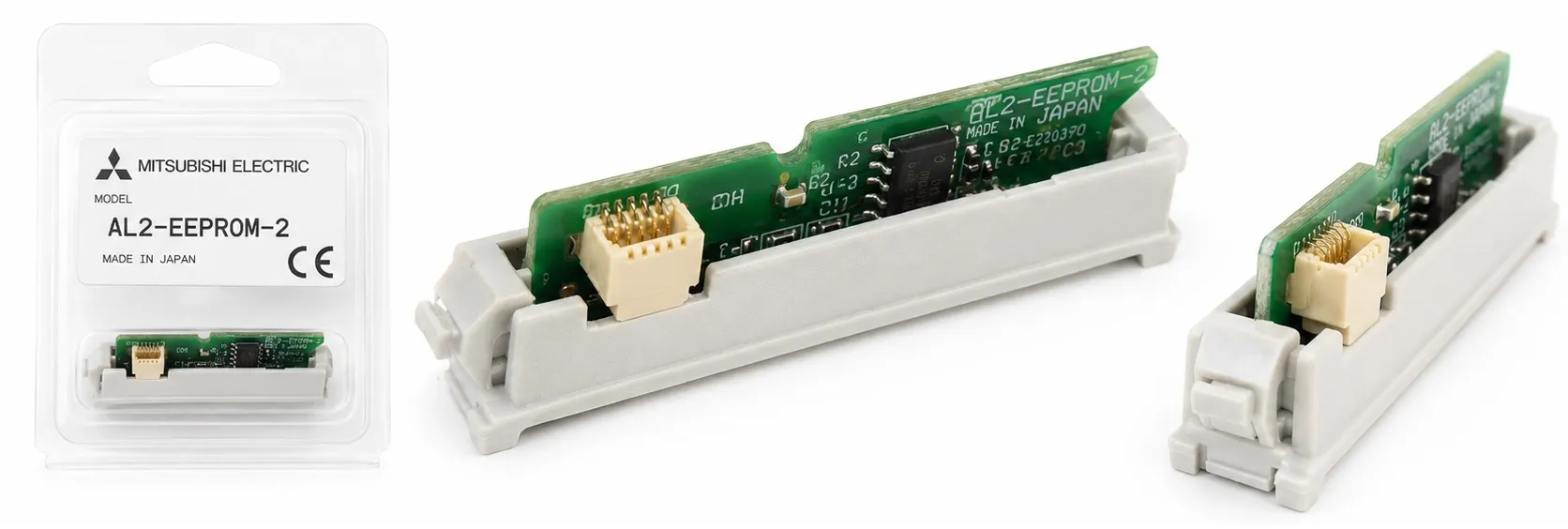
The Mitsubishi Alpha 2 AL2-EEPROM-2 is an optional EEPROM memory cassette designed for use with the Alpha 2 series controllers. It allows the storage, backup, and transfer of user programs, providing program editing capabilities directly through the controller’s front panel or via the AL-PCS/WIN-E software. Below is a detailed breakdown of the features and functionality of the AL2-EEPROM-2 for electrical technicians:
EEPROM Memory Extension: The AL2-EEPROM-2 cassette provides additional memory to Alpha 2 series controllers for saving user programs. It enables secure storage of programs and acts as a backup in case of power failure or system resets, preserving essential program data.
Program Editing and Creation: Users can create and edit programs directly on the controller’s display using the front panel keys. Any changes made to the program will overwrite the current memory. Programs can be saved either on the AL2-EEPROM-2 memory cassette or in the AL-PCS/WIN-E software (version 2.00 or later).
Program Transfer: The cassette allows users to transfer programs from the controller to the cassette or from the cassette to the controller. This is particularly useful for moving programs between different Alpha 2 controllers or for creating backups.
Program Protection Features:
Password Protection: Programs stored on the AL2-EEPROM-2 can be password protected to prevent unauthorized access. This ensures that sensitive programs are secure and cannot be altered without permission. Password-protected programs can still be transferred between the cassette and the controller.
Program Read Protection: This feature prevents any read access to the user program on the controller (version 2.20 or later). It is activated by setting a 5-digit user program password (e.g., starting with “1****”, between 10000 and 19999). Once set, the program’s password cannot be changed through the controller’s soft keys.
Copy to Memory Cassette Protection: This feature, available on version 2.20 controllers and later, blocks any attempt to copy the program from the controller to the EEPROM cassette. This is an added security measure to prevent unauthorized duplication of the program.
How to Transfer a Program from Controller to Cassette:
To transfer a program from the Alpha 2 controller to the AL2-EEPROM-2:
Install the AL2-EEPROM-2 cassette according to the instruction manual.
Go to Others... in the Top Menu.
Select ProgTran.
Choose Cassette ←.
Select OK to confirm the transfer or ESC to exit.
Once the transfer is complete, the message Completed will blink on the display.
Using the “ProtectSW” Feature:
Enable ProtectSW: When enabled, this feature write-protects the program stored on the EEPROM memory cassette, preventing any editing or erasing.
Install the AL2-EEPROM-2 as per the manual instructions.
Go to Others... in the Top Menu.
Select ProgTran.
Select ProtectSW.
Choose On to activate the protection.
Disable ProtectSW: To remove the protection and allow editing:
Install the AL2-EEPROM-2.
Go to ProgTran from the Top Menu.
Select ProtectSW and then choose Off.
Applications:
Program Backup: The AL2-EEPROM-2 is perfect for backing up programs, ensuring that critical program data is retained even in case of a controller failure.
Program Transfer: The memory cassette allows easy transfer of programs between different controllers. This is highly useful in large industrial settings where multiple machines may need to run the same program or require frequent updates.
Program Security: The password protection and program read/copy protections provide additional layers of security, ensuring that proprietary programs are not accessed or copied without authorization, which is essential for maintaining intellectual property rights in industrial automation settings.
The Mitsubishi Alpha 2 AL2-EEPROM-2 memory cassette is a versatile and secure expansion module for the Alpha 2 series controllers. It offers program backup, editing, and transfer capabilities while ensuring that sensitive programs are protected with advanced security features such as password protection, read protection, and copy protection. These features make it an ideal tool for technicians who require reliable program management and security in their automation systems.
>> Mitsubishi AL2-EEPROM-2 User manual (pdf)
----------
+ Mitsubishi Automation Homepage
+ Mitsubishi Electric Contact (for Automation Mall)