
GT1585 Model
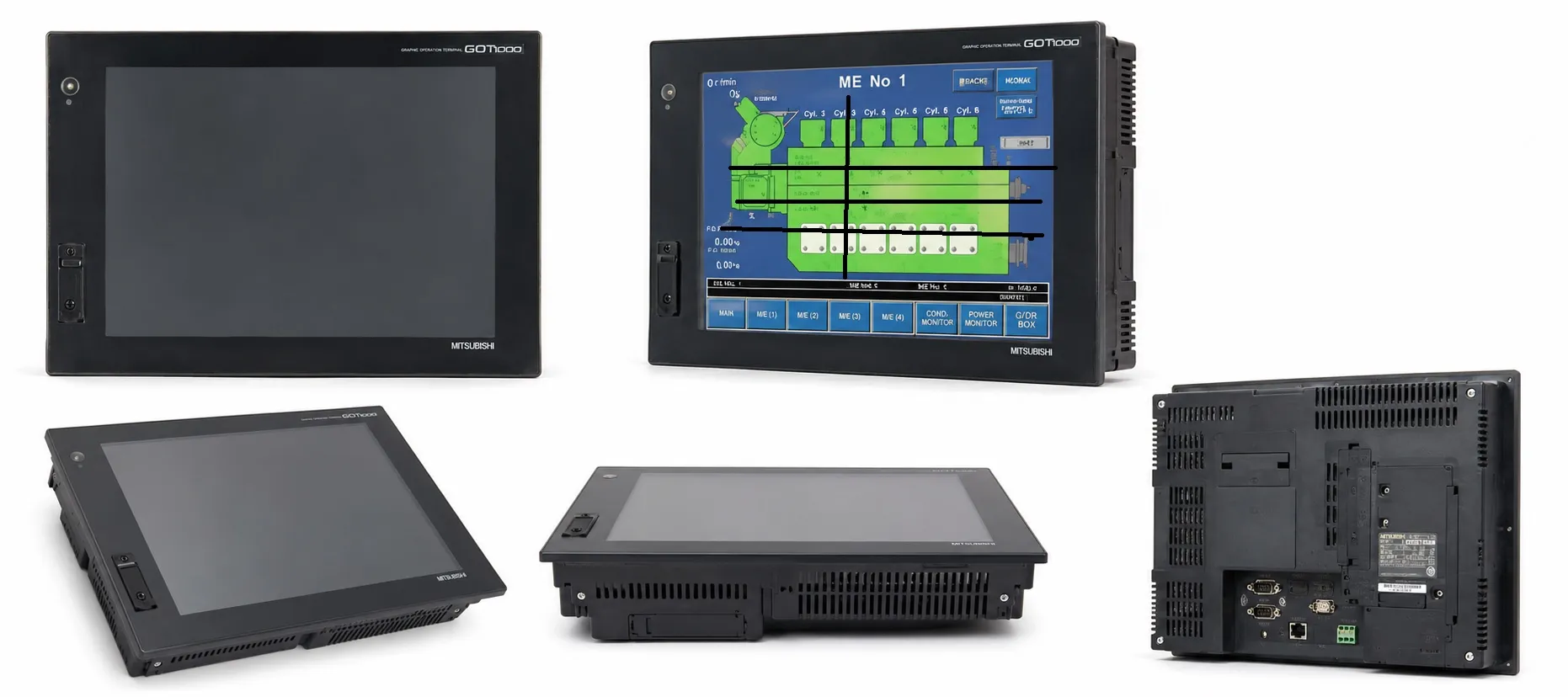
The GT1585 Model is part of Mitsubishi's high-performance GT15 series within the GOT1000 HMI lineup. This model is tailored for advanced industrial applications where high visual quality, robust connectivity, and multimedia support are essential.
Key Specifications of GT1585 Model
Display:
Type: TFT color LCD with a high-brightness, wide-view angle
Resolution: 800 x 600 pixels (SVGA)
Colors: Supports 65,536 colors, providing sharp and vibrant graphics suitable for complex industrial interfaces
Brightness: Adjustable settings for different environments, enhancing visibility and reducing eye strain
Touchscreen: Analog resistive, ensuring accurate touch response in demanding industrial settings
Connectivity:
Ports: RS-232, RS-422/485, and Ethernet (100BASE-TX) for enhanced networking capabilities
USB: Two USB ports (host and device), which enable file transfer, data logging, and easy access to stored information
CompactFlash (CF) Slot: Allows additional data storage, supporting data logging and project backup needs
Power Supply: Operates on both 100-240V AC and 24V DC, offering flexibility in various industrial power environments
Memory and Data Management
User Memory: Built-in 9 MB flash memory, expandable up to 57 MB using CF cards, allowing large-scale project storage and advanced data logging.
Battery-Backed Memory: Equipped with SRAM, backed by a battery to preserve essential data, such as alarm history and recipe settings, even during power interruptions.
Supported Software and Programming Tools
The GT1585 model is compatible with Mitsubishi’s GT Works3 suite, which includes:
GT Designer3: Used for intuitive screen design and HMI customization, simplifying layout and configuration
GT Simulator3: Provides simulation capabilities, allowing designers to test functionality on a PC before deployment
These tools offer user-friendly interfaces that streamline the creation and verification of HMI designs.
Functional Highlights and Features
Multimedia and Video Compatibility:
Supports multimedia playback, making it possible to include training videos, animations, or visual instructions.
Compatible with RGB and video inputs, allowing integration with cameras or other video sources for enhanced monitoring.
Alarm Functions and Data Logging:
Equipped with advanced alarm functions, including scrollable alarm history, helping operators track and manage critical events.
Supports extensive data logging, which can be stored on CF cards for future analysis.
Recipe Management:
Allows storage and easy switching between multiple configuration settings, ideal for manufacturing environments with varied production requirements.
Multi-Language and Unicode Support: Unicode compatibility allows international usage by supporting multiple languages on the HMI.
Applications for GT1585 Model
The GT1585 Model is best suited for:
Complex Automation Systems: High connectivity options, combined with large memory and multimedia support, make it ideal for environments where complex monitoring and data handling are needed.
Production Environments with High Visual and Multimedia Needs: Its multimedia capability is beneficial for training and operational guidance directly on the interface.
Global Operations: Multi-language support and versatile connectivity make it suitable for internationally diverse environments and complex, distributed systems.
>> Mitsubishi GT1585 User manual (pdf)
----------
+ Mitsubishi Automation Homepage
+ Mitsubishi Electric Contact (for Automation Mall)