
GT1045 Series
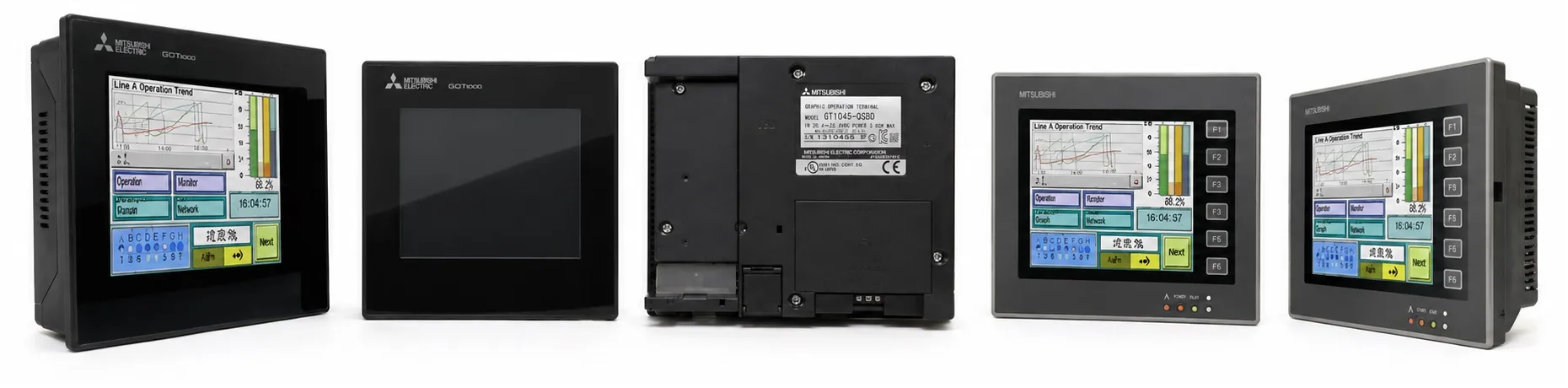
The GT1045 Model is part of Mitsubishi’s GOT1000 HMI series, designed for cost-effective control and monitoring in industrial applications. The GT1045 model provides versatile functionality and supports various communication protocols, making it suitable for small to medium-sized automation systems.
Key Specifications of GT1045 Model
Display:
Type: 4.7-inch STN color LCD
Resolution: 320 x 240 pixels (QVGA)
Colors: Supports 256 colors, allowing clear visual representation in industrial environments.
Touchscreen: Matrix-type touch interface for precise control.
Connectivity:
Communication Ports: RS-232 and RS-422, enabling compatibility with Mitsubishi PLCs and other devices.
USB Port: Allows quick programming, data transfer, and diagnostics, improving operational efficiency.
User Memory:
Capacity: 3 MB flash memory, suitable for storing project data, configurations, and alarms.
Battery Backup: Integrated backup battery for clock data and alarm history, ensuring data integrity during power interruptions.
Power Supply: Operates on a 24V DC power input, standard for industrial use.
Supported Software
The GT1045 model is compatible with Mitsubishi’s GT Works3 software suite, which includes:
GT Designer3: Enables customized screen design for creating user-friendly HMI interfaces.
GT Simulator3: Allows pre-deployment simulation of screens on a PC to ensure proper functionality.
These tools streamline the setup and deployment process, offering intuitive screen design features and simulation capabilities.
Functional Highlights and Features
Enhanced Alarm Functions:
The GT1045 supports customizable alarms, providing operators with visual indicators and an alarm history for quick troubleshooting.
Scrolling alarm messages enhance visibility, allowing for efficient monitoring and response.
Recipe Management:
Built-in recipe functionality allows operators to store multiple configurations and settings, enabling easy adjustments for different production requirements.
This feature is especially beneficial in applications with frequent mode changes, where settings can be pre-configured and selected as needed.
Multi-Language and Unicode Support:
Supports Unicode, enabling multi-language displays for international usability. Language options can be switched easily, making it ideal for global applications.
Energy Saving Mode:
The device supports backlight control, reducing power consumption during idle periods and extending backlight life.
Flexible Connectivity Options:
Allows multi-unit connections, enabling synchronized operation across multiple GT1045 units in larger setups.
Supports connection with various Mitsubishi and third-party automation systems, enhancing its versatility.
Typical Applications for GT1045
The GT1045 is suitable for:
Small to Medium Industrial Control Systems: Ideal for compact systems that require essential HMI capabilities without extensive graphical demands.
Multi-Language Operations: The Unicode support makes it adaptable for applications requiring multilingual interfaces.
Alarm Monitoring and Recipe Control: Designed to provide reliable monitoring and control in environments where clear alarm indication and recipe management are crucial.
>> Mitsubishi GT1045 User manual (pdf)
----------
+ Mitsubishi Automation Homepage
+ Mitsubishi Electric Contact (for Automation Mall)