
GT1275 Series
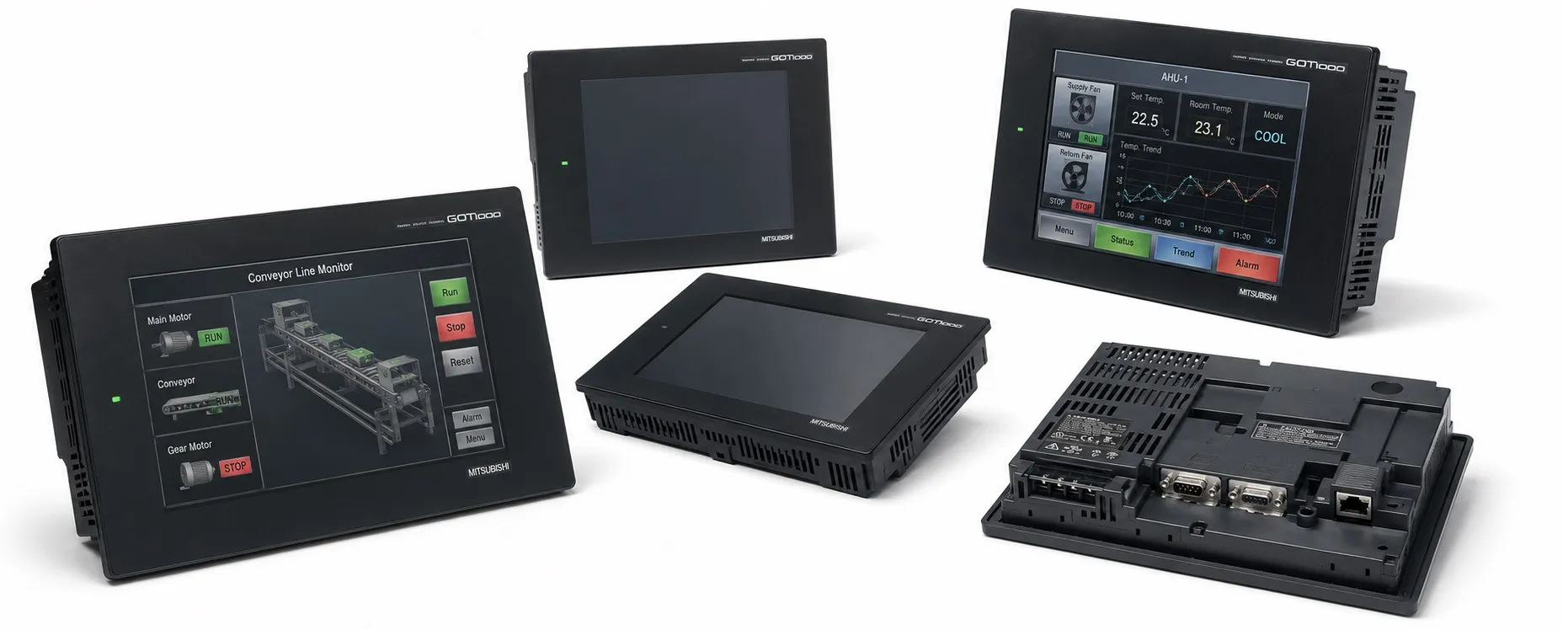
The GT1275 is a high-performance HMI from Mitsubishi's GT12 series within the GOT1000 family, designed for extensive control and monitoring tasks in industrial environments. Its features make it suitable for applications requiring a larger display, reliable connectivity, and efficient data management.
Key Specifications of GT1275 Model
Display:
Type: 10.4-inch TFT color LCD
Resolution: VGA (640 x 480 pixels)
Colors: 256 colors, ensuring clear visuals for monitoring and control
Viewing Angle: Right/left 45°, up/down 20°
Brightness: 200 cd/m², with 4-step adjustable brightness for different lighting conditions
Touchscreen: Analog resistive type, providing precise touch input for reliable operation in industrial settings
Connectivity Options:
RS-232 and RS-422/485 Ports: Compatible with various Mitsubishi PLCs and external devices
Ethernet (100BASE-TX): Enables efficient network integration for centralized control and monitoring
USB Port (Mini-B): Facilitates data transfer, OS installation, and remote troubleshooting
CompactFlash (CF) Slot: Provides additional storage for data logging and backup
Memory:
Flash Memory: 6 MB internal memory for project data and operating system storage
SRAM: 512 KB, battery-backed to retain clock data, alarm history, and recipe information
Power Supply: 100-240V AC input, suitable for industrial environments with standard power configurations
Supported Software and Programming Tools
The GT1275 model is fully compatible with Mitsubishi’s GT Works3 software suite, including:
GT Designer3: Used for screen design, allowing custom interface creation tailored to specific operational requirements
GT Simulator3: Provides simulation capabilities for testing HMI functionality on a PC before deployment, reducing on-site setup time
This suite is designed to simplify the setup, testing, and deployment processes, allowing engineers to develop and verify HMI functionality efficiently.
Functional Highlights
Advanced Alarm and Monitoring Capabilities:
Color-coded alarm indicators and scrolling alarm history, allowing operators to easily identify and respond to critical conditions
Supports alarm list and history display, with CF card storage for alarm data retention
Recipe and Data Management:
Integrated recipe functions allow operators to manage and switch between different configurations quickly, improving operational efficiency in diverse production setups
Multi-Language and Unicode Support:
Compatible with Unicode, allowing for multi-language displays and easy switching between languages, which is ideal for international environments
Energy-Saving Mode: The backlight control feature conserves energy by reducing brightness when the screen is idle
Application Scenarios
The GT1275 Model is suitable for:
Large-Scale Control Systems: Its larger screen and high connectivity options make it ideal for centralized control and monitoring applications
Flexible Production Environments: Recipe management and multi-language capabilities are beneficial in multi-step, variable production lines
Networked Industrial Systems: The Ethernet and USB support allows seamless integration into complex automation systems, with easy data access and storage.
This information highlights the GT1275’s capabilities and its applications in Mitsubishi's GOT1000 HMI series for effective and robust industrial automation control.
>> Mitsubishi GT1275 Series User manual (pdf)
----------
+ Mitsubishi Automation Homepage
+ Mitsubishi Electric Contact (for Automation Mall)