
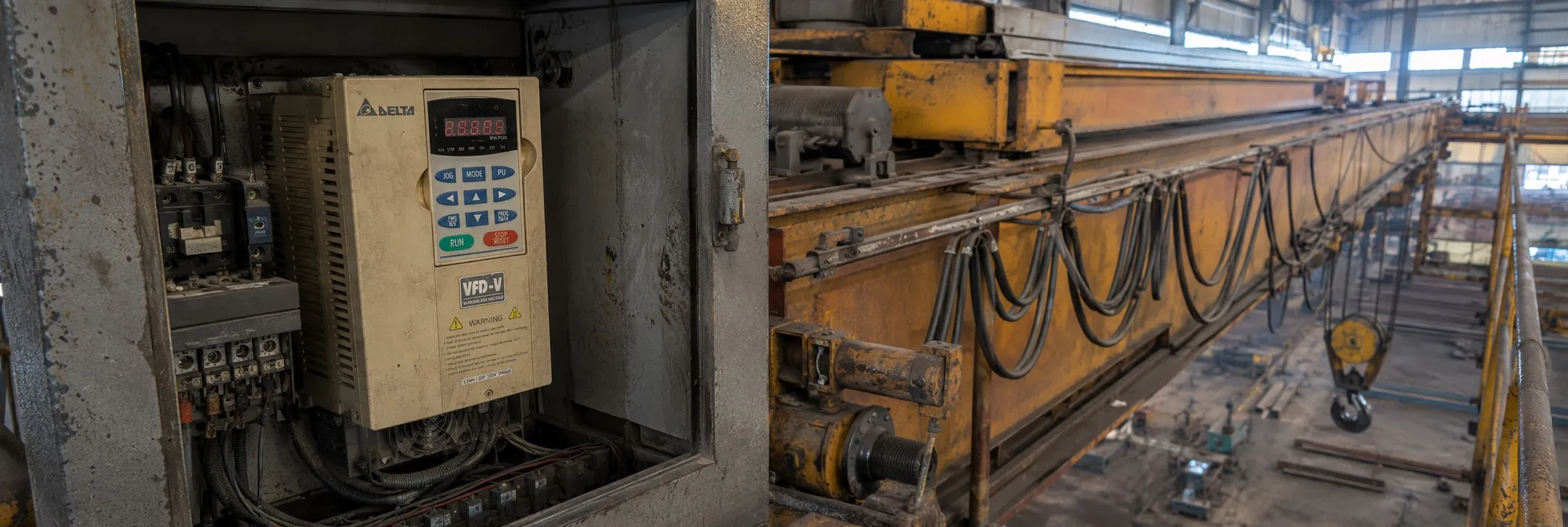
Delta VFD-V Fault Codes
Hi everone,
Motor Cannot Run:
+ Explanation: Motor cannot run.
+ Corrective Actions:
- Check if non-fuse breaker and magnetic contactor are ON.
- Reset after clearing fault and then RUN.
- Ensure input voltage is normal.
- Input "RUN" command by keypad.
- Use a jumper or DC reactor if necessary.
- Press RUN key to check if it can run.
- Check if input FWD or REV command is correct.
- Ensure the wiring of terminal MI1 and between MI2-DCM is correct.
- Correct connection if necessary.
- Check if the parameter setting and wiring of analog signal and multi-step speed are correct.
- Ensure there is no malfunction in the motor or AC motor drive.
+ Explanation: Motor can run but cannot change speed.
+ Corrective Actions:
- Check if the setting of the max. frequency is too low.
- Modify the setting if the frequency is out of range.
- Ensure the wiring between MI1~MI8 to COM is correct.
- Adjust accel./decel. time by load inertia if necessary.
- If there is a malfunction or misoperation due to noise, contact DELTA.
+ Explanation: Motor stalls during acceleration.
+ Corrective Actions:
- Increase acceleration time if too short.
- Reduce load or increase the capacity of the AC motor drive.
- Check if the inertia of motor and load is very high.
- Increase torque compensation if necessary.
- Ensure suitable wiring between the motor or AC motor drive.
+ Explanation: Motor does not run as expected.
+ Corrective Actions:
- Adjust V/f characteristic and lower torque compensation if necessary.
- Ensure output voltage of U, V, W is balanced.
- If there is a malfunction or misoperation due to noise, contact DELTA.
+ Explanation: Electromagnetic/induction noise.
+ Corrective Actions:
- Add surge killer on the relay or contact to suppress switching surge between ON/OFF.
- Shorten the wiring length of the control circuit or serial circuit and separate from the main circuit wiring.
- Comply with the wiring regulation for those shielded wires and use an isolation amplifier for long wires.
- Ensure the grounding terminal complies with local regulation and ground independently.
- Connect a noise filter at the input terminal of the AC motor drive to prevent noise from the power circuit.
+ Explanation: Ensure compliance with environmental conditions.
+ Corrective Actions:
- Prevent vibration and ensure vibration tolerance is within specification.
- Store in a clean, dry location free from corrosive fumes/dust.
- Maintain suitable surrounding temperature and humidity.
- Ensure proper storage within a relative humidity range of 0% to 90% and non-condensing environment.
+ Explanation: High harmonic at power side.
+ Corrective Actions:
- Separate the power system or use a transformer for the AC motor drive.
- Use a reactor at the power input terminal of the AC motor drive.
- Use a serial reactor to prevent capacitor damage from high harmonic.
Error Codes and Explanations
Over Current (OC):
+ Code: OC
+ Explanation: Over-current during acceleration.
+ Corrective Actions:
- Check if there are any short circuits or grounding issues between U, V, W and the motor.
- Remove short circuit or ground fault.
- Reduce the load or increase the power of the AC motor drive.
- Reduce torque compensation if needed.
- Ensure suitable torque compensation.
- If the problem persists, there may be a malfunction or error due to noise; contact DELTA.
- Consider extending acceleration or deceleration time.
- Check the braking method and contact DELTA if necessary.
- Assess whether the load changes suddenly.
- Increase accel/decel time if the load is too large.
Ground Fault:
+ Code: GFF
+ Explanation: Ground fault.
+ Corrective Actions:
- If the output circuit (cable or motor) of the AC motor drive is grounded, remove grounding.
- If the issue persists, the AC motor drive may have a malfunction or misoperation due to noise; contact DELTA.
Over Voltage (OV - Ou):
+ Code: OV / ou
+ Explanation: Over voltage.
+ Corrective Actions:
- Check if the input voltage is within the specification.
- Reduce voltage to be within spec.
- If over-voltage occurs without load, the AC motor drive may have a malfunction or misoperation due to noise; contact DELTA.
- When OV occurs, check if the voltage of DC BUS is greater than the protection value.
- Increase deceleration time if OV occurs during sudden acceleration stops.
- Use a braking unit or DC braking if necessary.
- Check control methods and contact DELTA if needed.
Low Voltage (LV / Lu):
+ Code: Lv/ Lu
+ Explanation: Low voltage.
+ Corrective Actions:
- Check if there is any malfunction component in the power supply circuit or disconnection.
- Change defective components and check connections.
- Ensure voltage is within the specification.
- Change the power supply system if required.
- Check for heavy load with high start current in the same power system.
- Ensure suitable transformer power capacity.
- Check if voltage between +1/+2 and - is greater than Pr.06-00.
- If the control circuit has a malfunction due to noise, contact DELTA.
Over Heat (OH):
+ Code: OH
+ Explanation: AC motor drive overheats.
+ Corrective Actions:
- Check if the temperature of the heat sink is larger than 90°C.
- Reduce load if the temperature is too high.
- Ensure the cooling fan functions normally and is not jammed.
- Adjust surrounding temperature to specification.
- If the load is too large, reduce it or increase the power of the AC motor drive.
- If there is a malfunction due to noise, contact DELTA.
Overload (OL):
+ Code: OL
+ Explanation: Overload.
+ Corrective Actions:
- Reduce load or increase the power of the AC motor drive.
- Check if the setting of the electronic thermal relay is suitable.
- Modify the setting if necessary.
- If the load is too large, there may be a malfunction or misoperation due to noise; contact DELTA.
Abnormal Display of KPVL-CC01:
+ Code: N/A
+ Explanation: Abnormal display or no display.
+ Corrective Actions:
- Turn the power off and on again after the display is off.
- Check if all connectors are connected well and if there is no noise.
- If the AC motor drive has a malfunction, contact DELTA.
Phase Loss (PHL):
+ Code: PHL
+ Explanation: Phase loss.
+ Corrective Actions:
- Check if the wiring of terminals R, S, and T is OK.
- Tighten all screws on the terminals.
- Check for abnormal power in the wiring and power system.
- Ensure the input voltage of R, S, and T is balanced.
+ Delta VFD-V (VE,VL) User Manual
+ Delta VFD-V Fault Codes 2 >>
+ Delta VFD-V Fault Codes 3 >>
-----------------
 -