
AL-232CAB
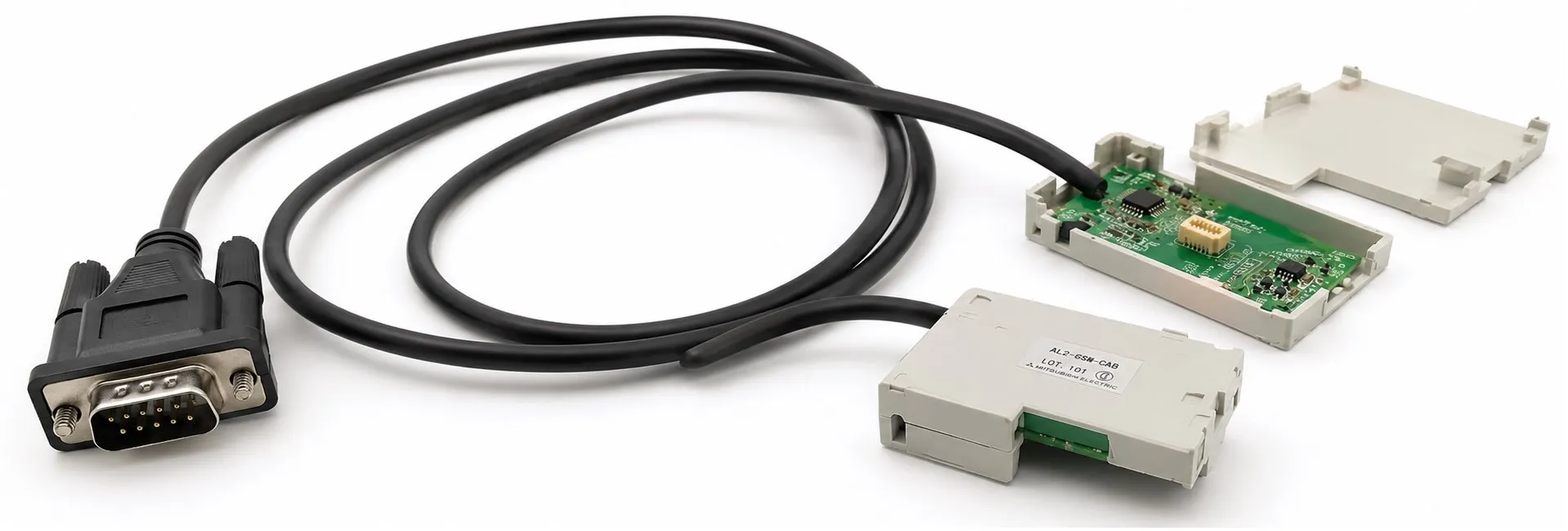
The Mitsubishi AL-232CAB is a specialized RS-232C programming cable used to connect an Alpha series controller (α or α2) to a personal computer running the AL-PCS/WIN-E programming software. This cable is essential for downloading, uploading, and programming the Alpha controllers, making it a critical tool for automation technicians working with Mitsubishi’s Alpha series.
Key Features of AL-232CAB:
RS-232C Connection: The AL-232CAB cable facilitates communication between a PC and the Alpha series controllers. This connection allows for easy downloading, uploading, and program management using the AL-PCS/WIN-E programming software (version 2.50 or later).
Drag-and-Drop Programming: With the AL-PCS/WIN-E software, users can design function block diagrams by dragging and dropping function block icons onto the FBD (Function Block Diagram) base. The AL-232CAB cable then enables the transfer of this program to the Alpha 2 controller.
Ease of Use for All Skill Levels: The visual programming interface makes it accessible for both beginners and experienced users. It simplifies the process of designing, testing, and deploying automation programs to Alpha controllers.
Important Usage and Safety Information:
Safety Precautions: Before installing or using the AL-232CAB cable, it is essential to read the manual thoroughly. Only trained and competent personnel should install the equipment, following all local and national electrical standards.
Power Off During Installation: Ensure the power is turned off before connecting or disconnecting the AL-232CAB cable from the Alpha controller.
Do Not Repair or Modify: The AL-232CAB should never be repaired or modified. If damaged, it must be replaced.
Proper Disposal: Disposal of the cable and any Alpha Series products should follow local and national standards.
Connection Process:
Remove the Alpha Controller Cover or Memory Cassette: Before connecting the cable, you must remove the cover or the memory cassette from the controller.
Connect the Cable: Insert the AL-232CAB into the controller's communication port, ensuring it is properly seated.
Remove the Cable Safely: When detaching the cable, do not pull on the cord. Instead, grip the protective case of the cable to safely remove it.
Reattach the Cover or Memory Cassette: Once the programming or communication is complete, reinstall the controller's cover or memory cassette.
Programming Process with AL-PCS/WIN-E Software:
Visual Programming: The AL-PCS/WIN-E software provides a user-friendly environment where function blocks are represented graphically. Users can construct logic diagrams by dragging and dropping the desired blocks onto the FBD (Function Block Diagram) base.
Program Download: Once the program is constructed, it is transferred to the Alpha 2 controller via the AL-232CAB cable. The connection ensures a stable and reliable communication channel for program upload and download operations.
Important Notes:
Designed for Alpha Series Only: The AL-232CAB cable is specifically designed for use with Alpha and Alpha 2 series controllers. It is not compatible with other devices or applications.
Height Consideration: When connected to the Alpha controller, the cable rises approximately 40mm (1.57 inches) above the controller’s top panel, which is important to note for installations with limited space.
Applications:
Industrial Automation Programming: The AL-232CAB cable is widely used in industrial settings where Alpha series controllers are deployed for managing automation processes. It allows technicians to quickly program, modify, or troubleshoot controllers by connecting their PC to the controller.
Program Transfer and Backup: The cable is also valuable for transferring programs between controllers or creating backups of programs stored on Alpha controllers. This is particularly useful in situations where multiple controllers need to be updated with the same program or where program integrity needs to be preserved.
The Mitsubishi AL-232CAB RS-232C cable is an essential tool for programming and managing Alpha series controllers via the AL-PCS/WIN-E programming software. It provides a direct and reliable connection for downloading, uploading, and configuring programs in Alpha and Alpha 2 controllers. The cable's easy-to-use design, coupled with the visual programming capabilities of the software, makes it suitable for both novice and experienced technicians working in industrial automation.
>> AL-232CAB User manual (pdf)
----------
+ Mitsubishi Automation Homepage
+ Mitsubishi Electric Contact (for Automation Mall)